The first and only US-based cloud POS with live GSX integration · Now open to the public

GSX isn't a tab you switch to.
It's inside the ticket.

Warranty lookups, parts ordering, repair submission, AST 2 diagnostics, board serial reporting, and AASP labor reimbursement. All inside the ticket your tech is already working in. No second browser window. No re-typing serials.

Warranty & coverage lookups

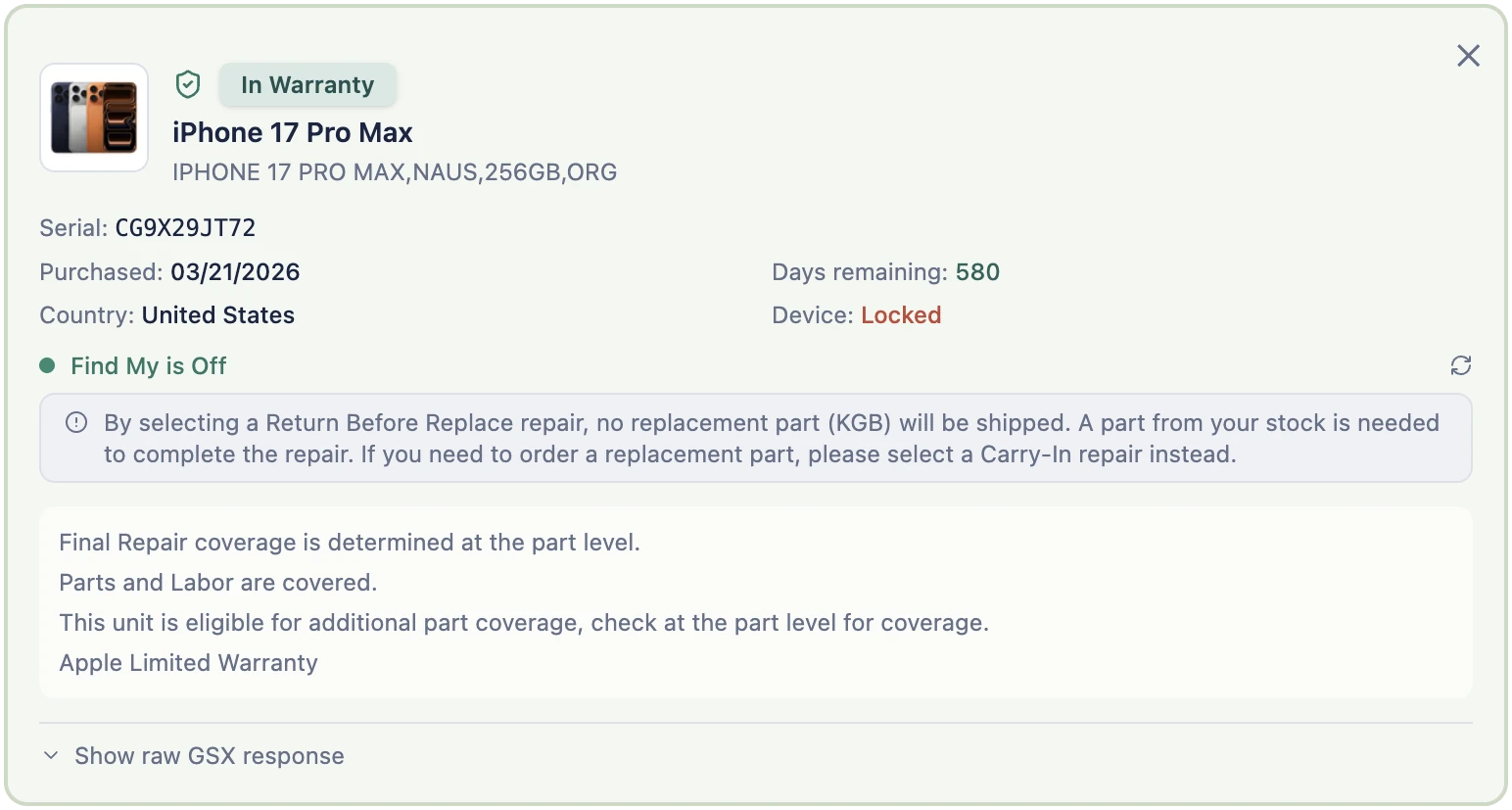
Scan or type a serial number on the ticket and BenchOS pulls the full warranty picture live from Apple: in-warranty or out-of-warranty status, AppleCare+ coverage and its expiry, the original purchase date, days of coverage remaining, and the device's Find My (Activation Lock) state. You know where a repair stands before you quote a price.

  • Coverage snapshot saved on the device record. No repeat Apple call needed.
  • Both Apple response shapes handled so every device in your history renders correctly
  • AppleCare+ deductible amounts surfaced at lookup time
  • Find My status shown on the ticket so you catch Activation Lock at intake, not at submission
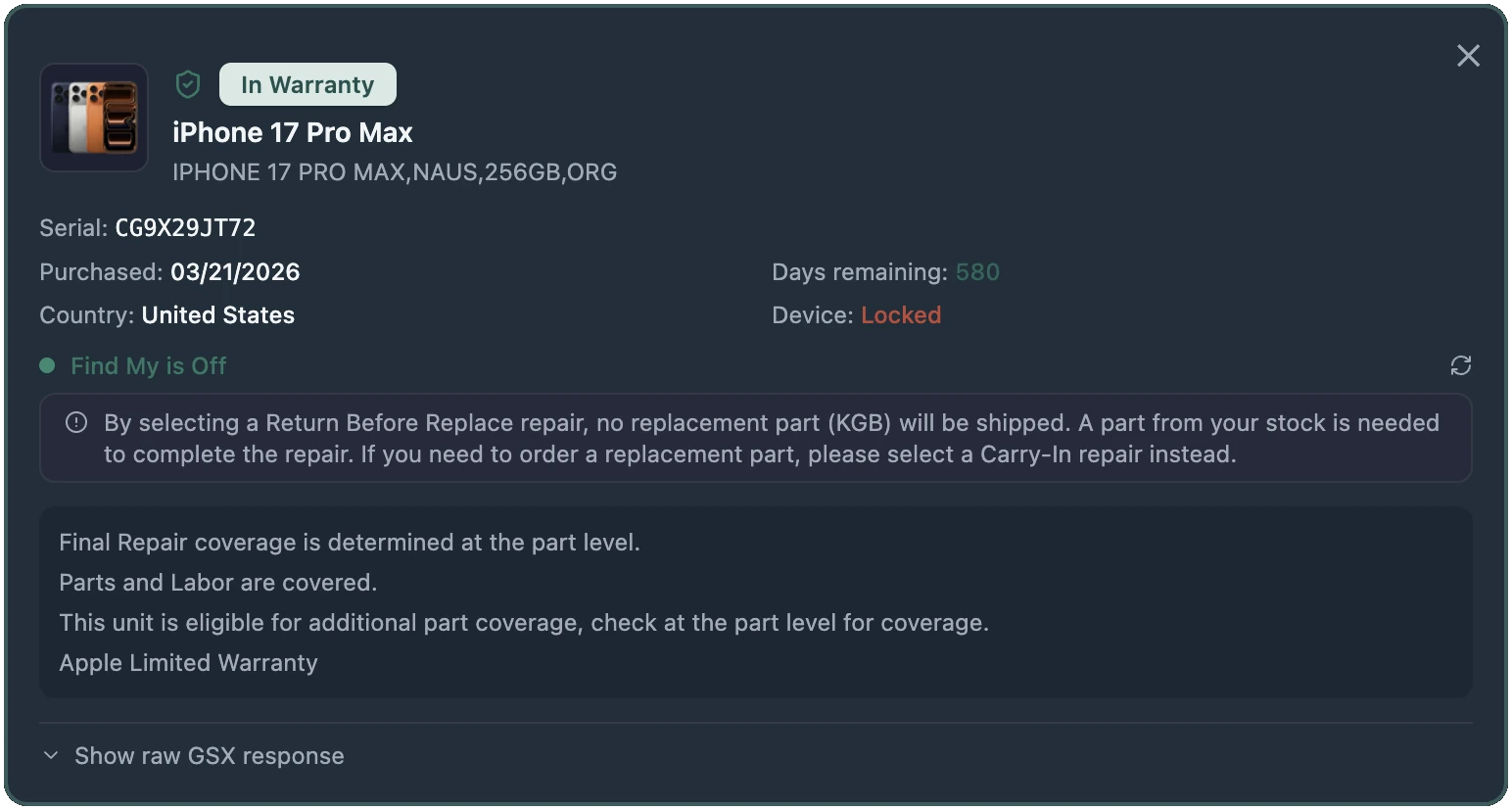
BenchOS warranty lookup: In Warranty status, AppleCare+, serial, purchase date, days remaining, Find My state BenchOS warranty lookup in light mode

Parts lookup & ordering

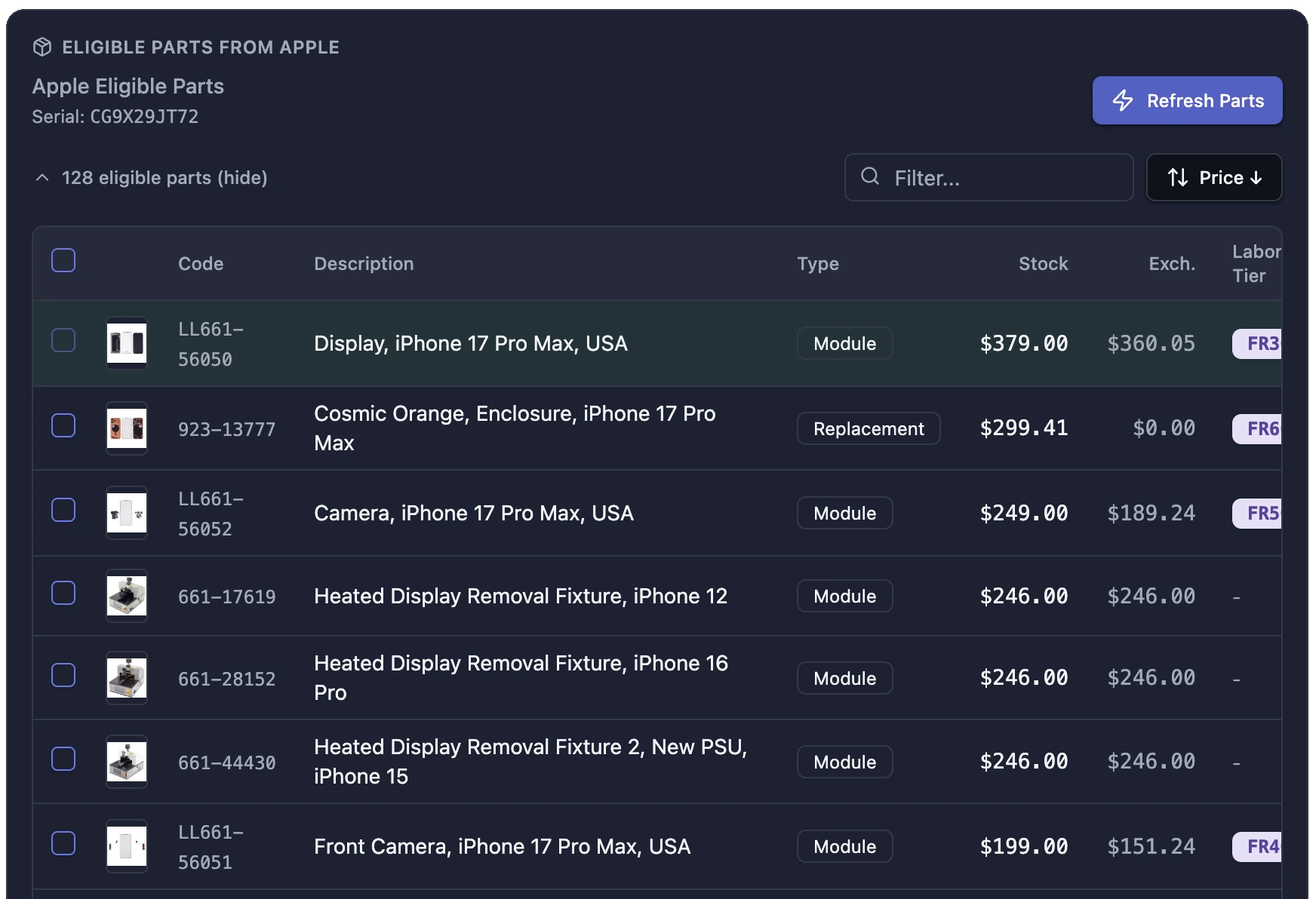
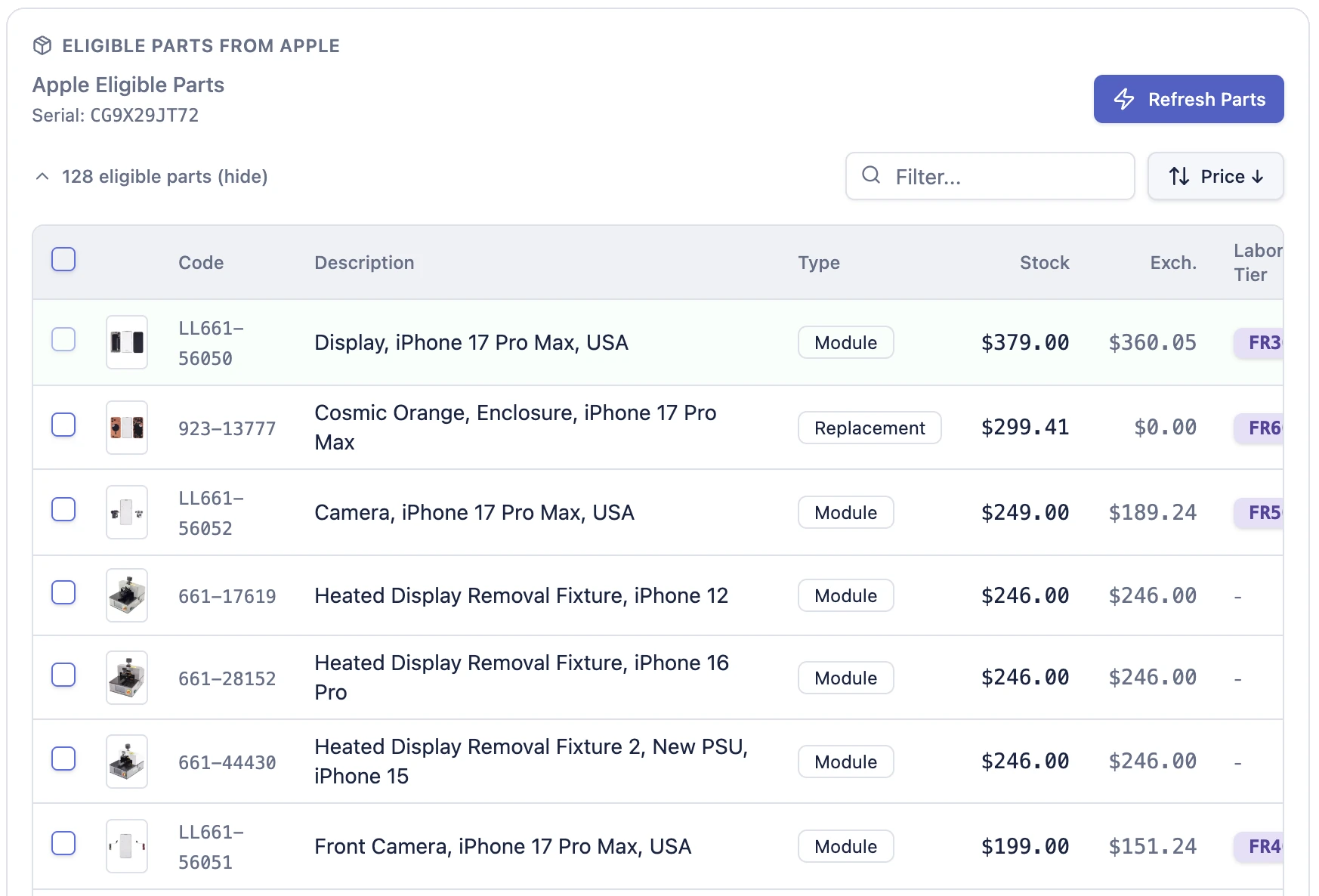
Search Apple's genuine parts catalog directly from the ticket. Every eligible part for the device's serial is returned with live pricing across warranty, exchange, and retail tiers, plus the AASP labor tier code that drives your reimbursement. Add a part to the ticket and a purchase order in one step. The PO auto-posts when the repair is submitted to Apple.

Apple returns part prices as comma-grouped strings ("1,143.12"). A naive parseFloat stops at the comma and yields $1 for a $1,143 logic board. BenchOS parses them correctly. This is the kind of detail that only shows up when you've actually run a repair shop on the software.

  • Warranty, exchange, and retail pricing tiers on every part
  • AASP labor tier (FR30, FR40, BE40, etc.) read from the part card
  • One click adds the part to the ticket and creates a draft PO
  • PO auto-posts when the GSX repair is submitted to Apple
BenchOS parts lookup: 128 eligible Apple parts with live pricing and labor tiers BenchOS parts lookup in light mode

Repair creation & submission

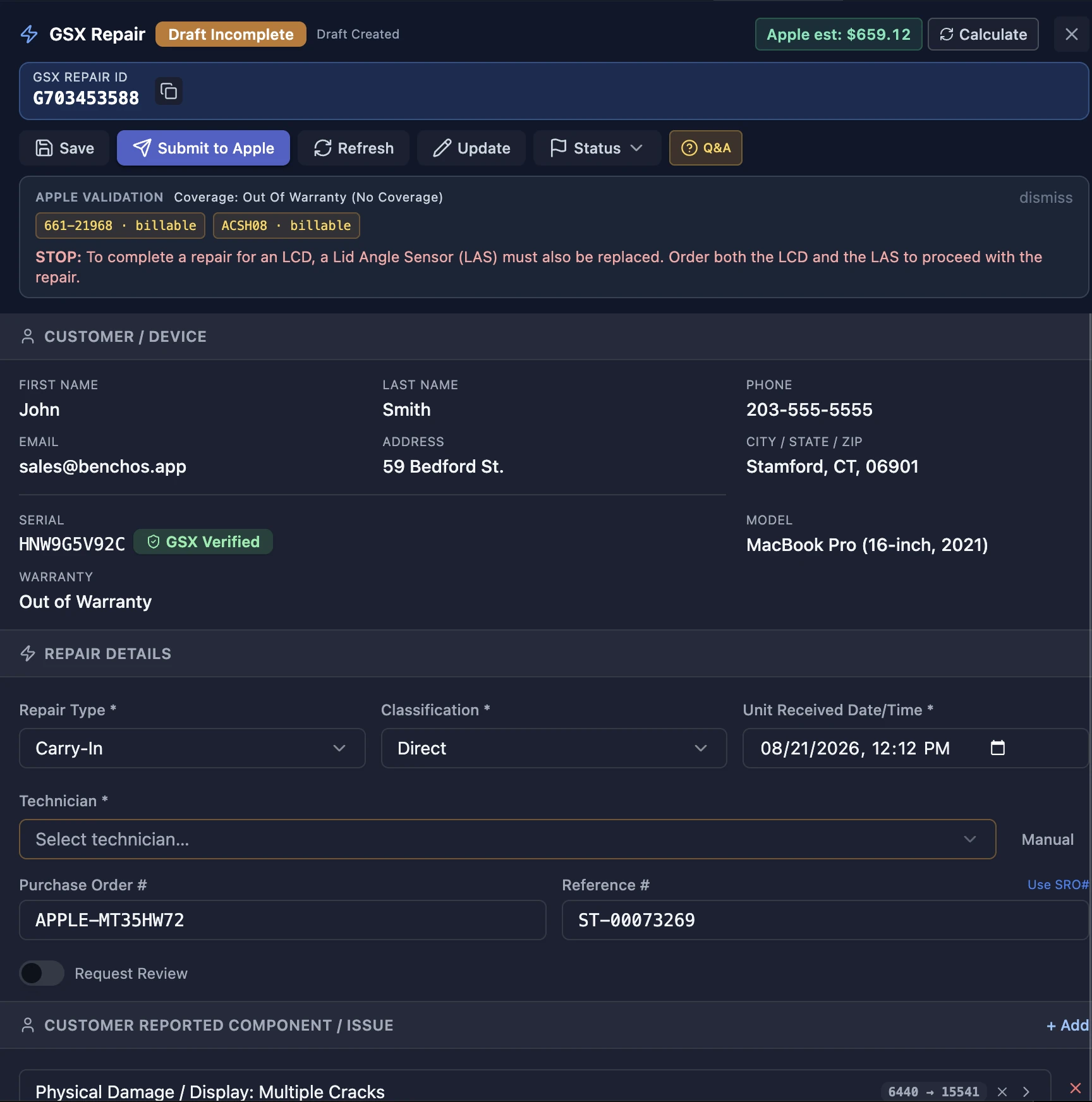
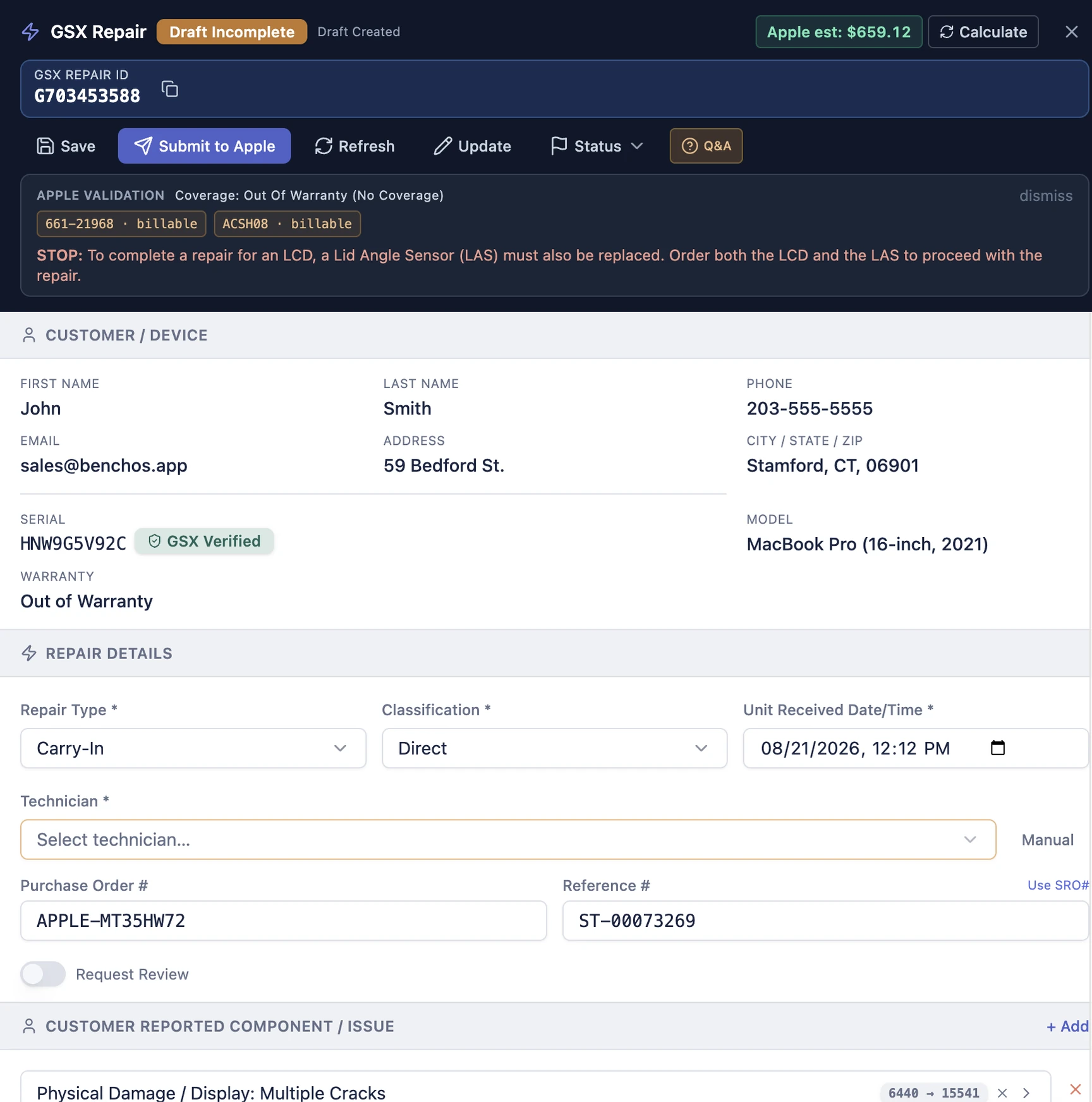
Create, draft, and submit GSX repairs without leaving BenchOS. The repair panel maps every field Apple requires (reproducibility codes, component issues, symptom codes, repair type) and validates them the way Apple validates them before submission so you get fewer rejections.

Multi-location shops route each repair to the correct Apple ship-to number automatically based on the ticket's store. Timestamps are formatted to Apple's exact spec (the wrong format is UNIT_RECEIVED_DATE_TIME_INVALID, the single most common GSX rejection in other tools). If the store has no ship-to configured, the repair is blocked server-side. Better to catch it here than to file under the wrong Apple location.

  • Draft, review, and submit from the repair panel on the ticket
  • Per-location ship-to routing for multi-store AASPs
  • Every Apple validation run locally before submission
  • Reservation, warranty, and diagnostic data pulled in automatically
BenchOS GSX repair submission: validated and ready to submit to Apple BenchOS GSX repair submission in light mode

AST 2 diagnostics

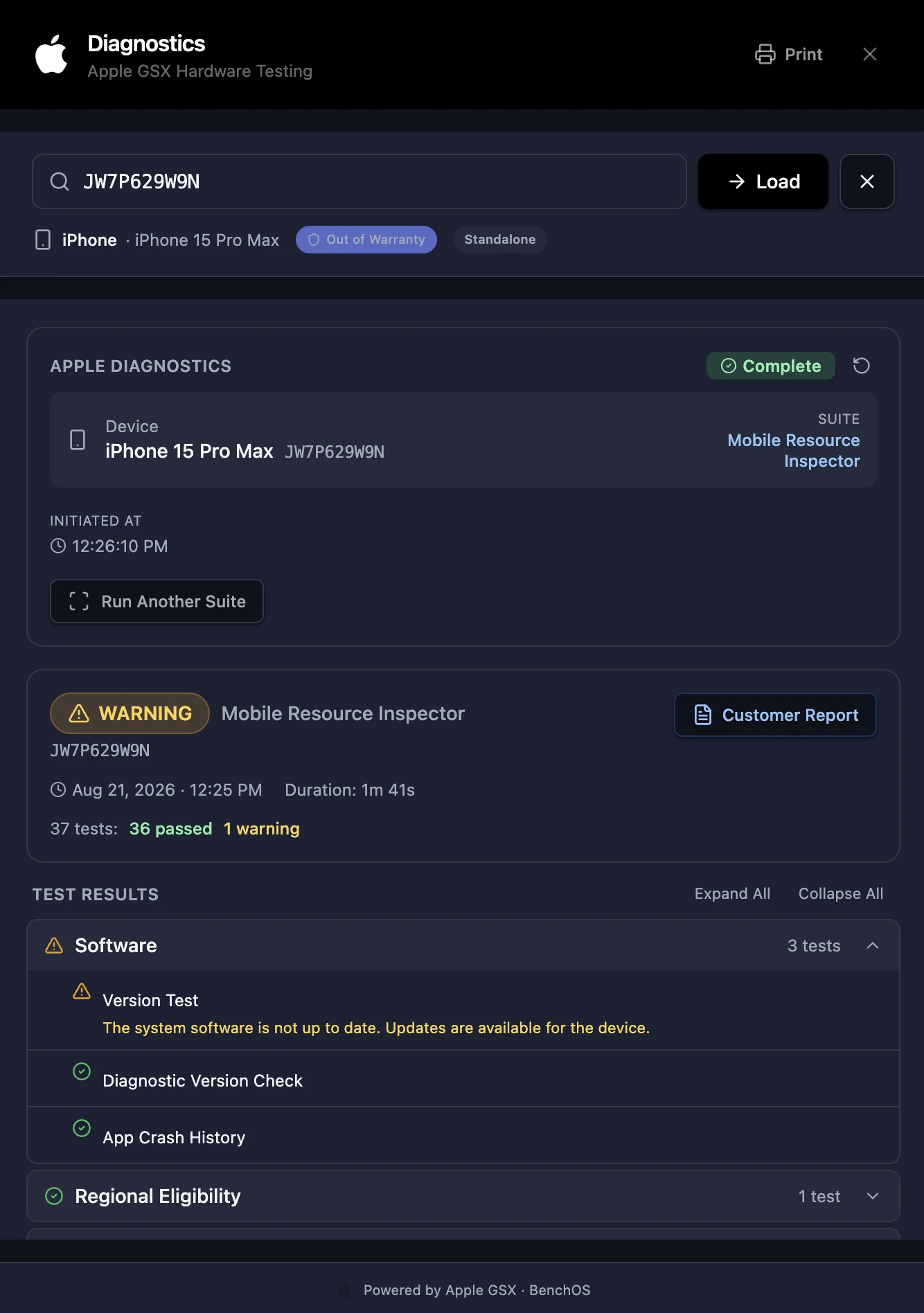
Run Apple Service Toolkit 2 diagnostics from any device with BenchOS open. Desktop, tablet, or phone. The full diagnostic report lands on the ticket and rides along with the GSX repair, so your submission carries the proof Apple looks for.

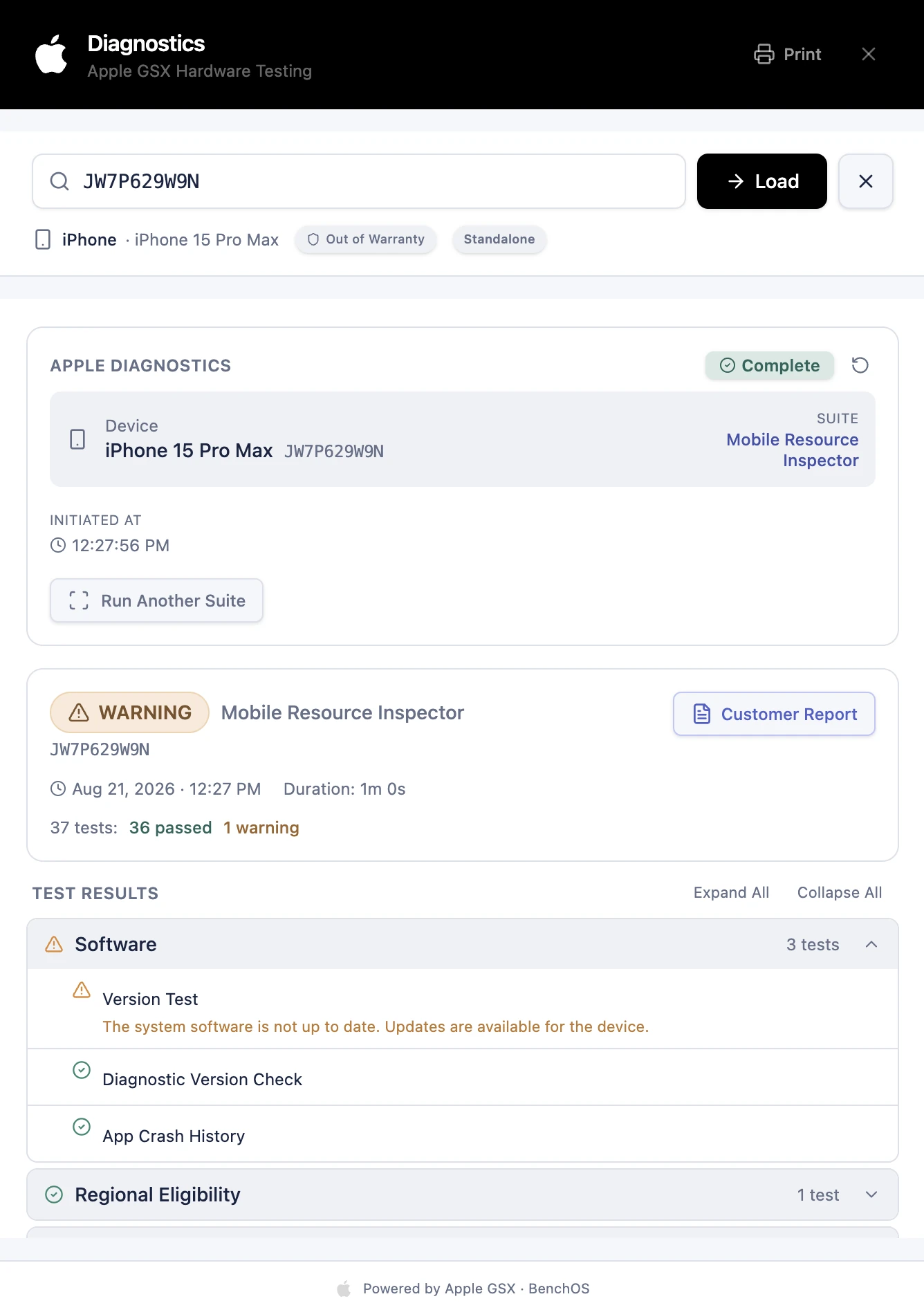
Pull the device's full 12-month diagnostic history by serial. Not just runs you performed, but every diagnostic anyone has run on that device (another AASP, the GSX web portal, AST 2 directly). Each run is deduplicated by event number so you never see the same result twice. Print a clean customer-facing report from any run.

  • The full AST 2 suite, every test Apple runs
  • 12-month history by serial, including other providers' runs
  • Printable diagnostic report for the customer
  • Deduplicated by event number. No duplicate results.
BenchOS AST 2 diagnostics: 36 of 37 tests passed with a printable report BenchOS AST 2 diagnostics in light mode

KBB/KGB board serial reporting

Apple requires the removed bad board (KBB) and installed good board (KGB) serials on serialized module repairs. Without them, mark-complete is refused. BenchOS handles this with a keyboard-wedge scanner UX: scan the KBB, Enter advances to KGB, Enter again saves. Serials validate against Apple's exact ^[0-9a-zA-Z]18$ pattern before they leave the form.

Eligibility is tri-state: Apple says the part is serialized → the scan button shows amber ("Serials needed"); Apple says it's not → the control is hidden; unknown → a neutral optional control, because hiding a truly-serialized part would block mark-complete at Apple's end. Push serials to Apple from the parts panel; Apple's response confirms what's on file and the part shows a green checkmark.

  • Keyboard-wedge barcode scanner UX. Scan KBB, Enter, scan KGB, Enter, done.
  • Apple's exact serial validation before the data leaves your screen
  • Tri-state eligibility: required, hidden, or optional based on Apple's flag
  • Push to Apple and confirm in one action from the parts panel
Serials · 661-42380 Logic Board
C02X93BVJGH5✓
F4GW81R2X9K7✓
Serials pushed to Apple ✓

AASP labor reimbursement

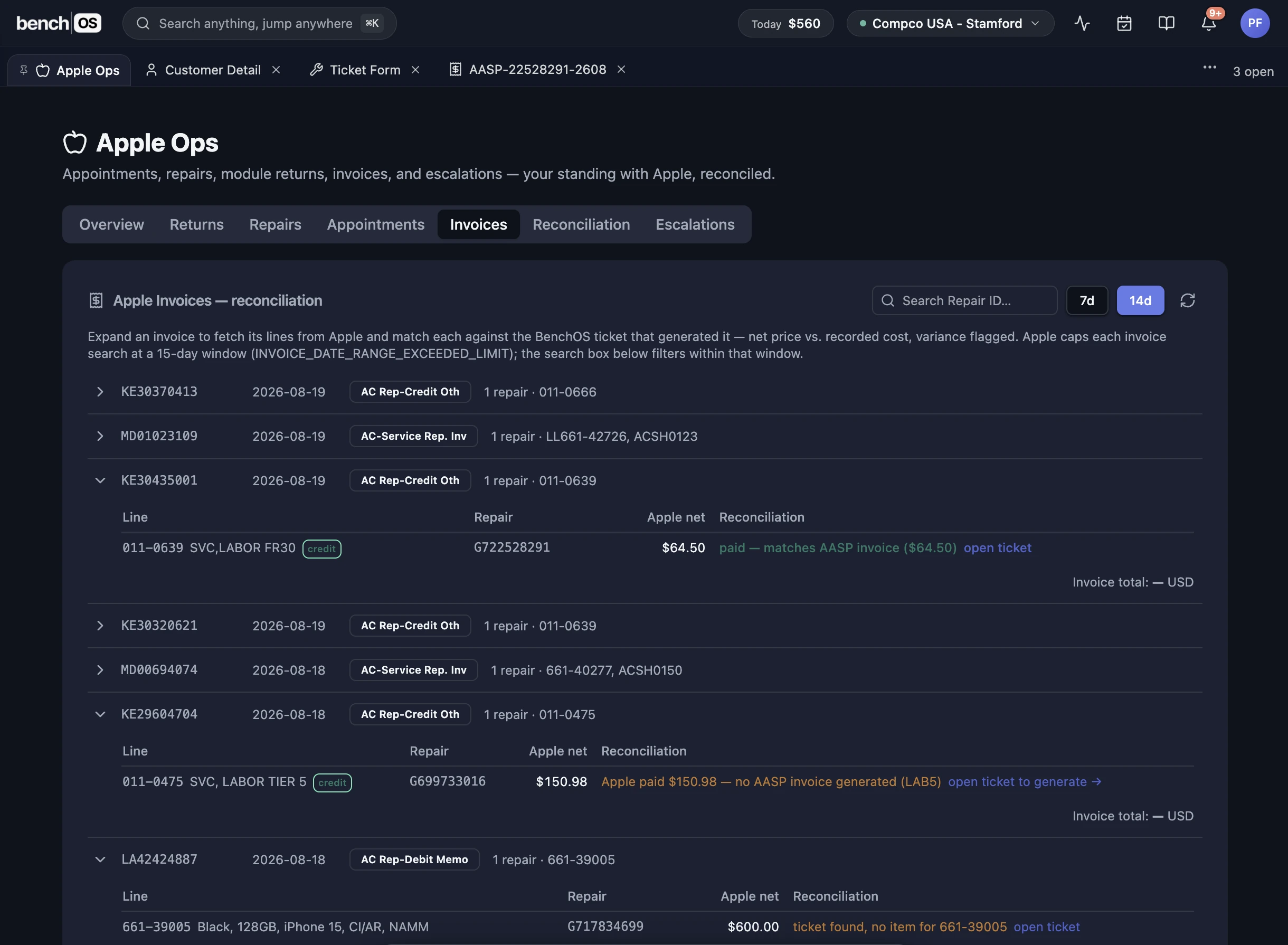
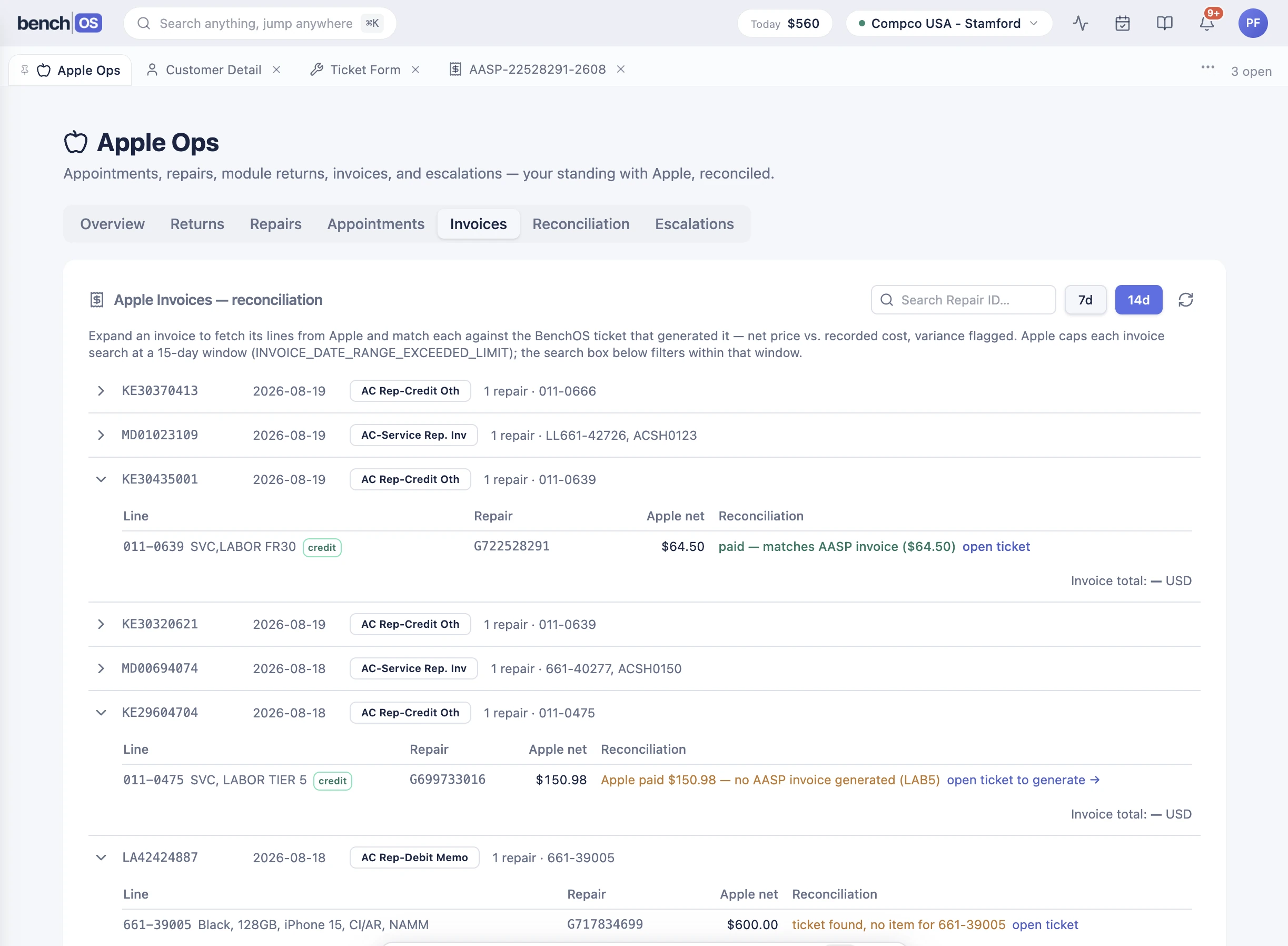
Apple pays the shop a labor credit for in-warranty repairs. The single highest-dollar labor tier among the warranty parts on the repair. BenchOS reads the tier code off the GSX part card, invoices Apple at the real Apple tier rate (FR30 → $64.50, FR40 → $77, and so on from Apple's published AASP labor schedule), and reconciles each invoice against Apple's actual credit memos.

Pull Apple statements live from GSX. No file upload. The reconciliation is existence-based: a credit memo is validated when it matches a BenchOS AASP invoice, regardless of amount (Apple doesn't return amounts in bulk). What's still owed sits at the top, oldest first. What Apple has already paid is reconciled automatically. A rate with no configured amount blocks invoice generation rather than guessing. A prior tool's invented defaults ($149 for FR40, $99 for FR30) produced wrong invoices.

  • Highest-dollar labor tier per repair, computed automatically
  • 40 Apple tier codes with real rates from the published AASP schedule
  • Pull Apple statements live from GSX. No file upload.
  • Existence-based reconciliation: validated, awaiting Apple, or couldn't-check
  • Unconfigured rates block invoice generation. Never a guess.
BenchOS Apple Operations: credit memos reconciled against AASP invoices BenchOS Apple Operations in light mode

GSX reservations

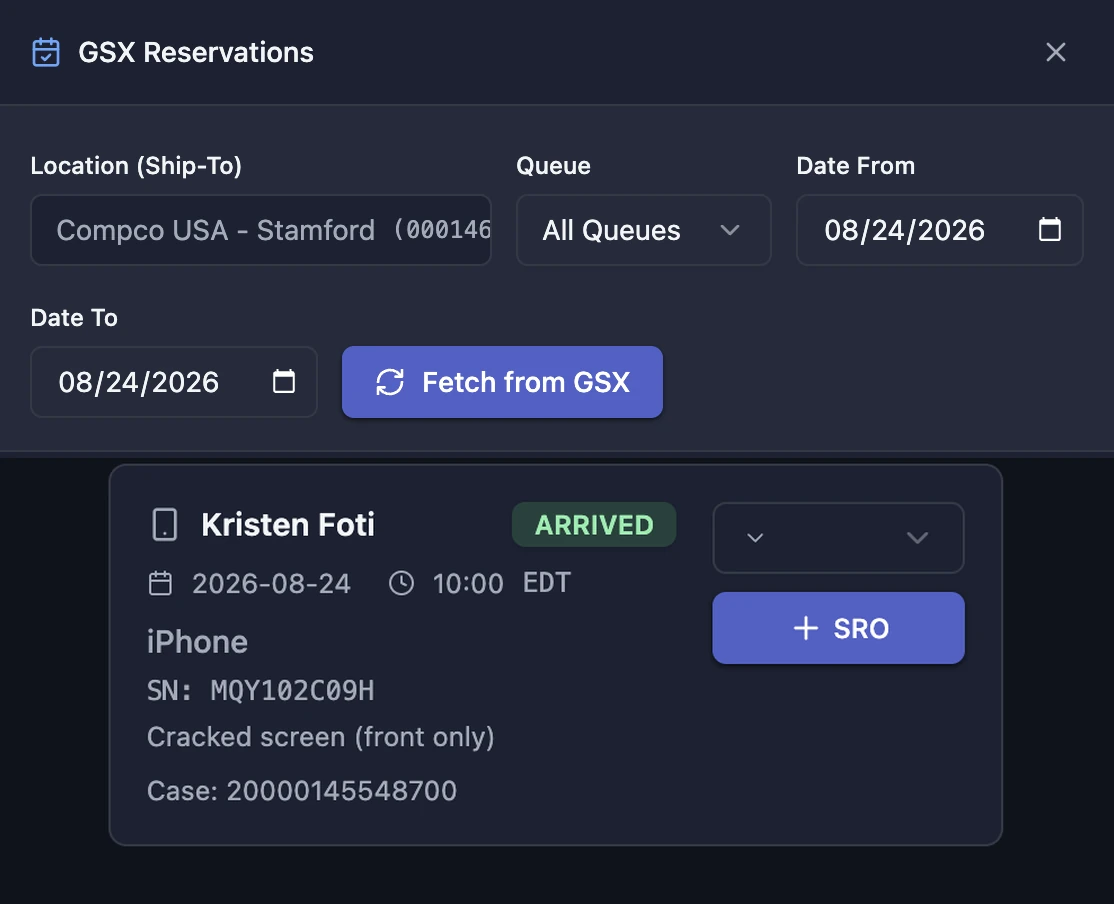
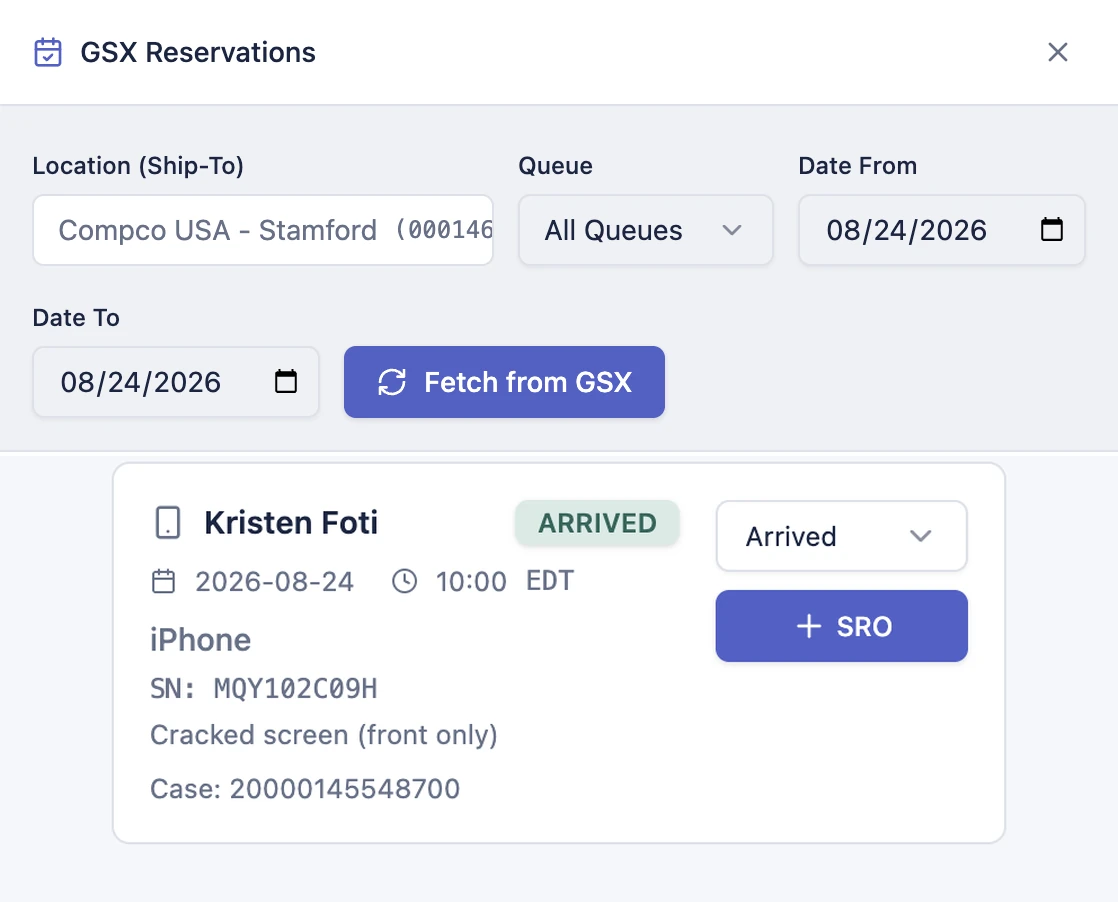
Apple reservations land in BenchOS ready to work. Fetch them by location, queue, and date; each one carries the customer, device, serial, issue description, and case number. Change the status and BenchOS auto-creates a ticket with the device and coverage already filled in, then pushes the updated status back to Apple.

  • Fetch by location, queue, and date range
  • One-click ticket creation with device, serial, and coverage pre-filled
  • Status changes pushed back to Apple automatically
BenchOS GSX Reservations panel BenchOS GSX Reservations in light mode

Your Apple certificate never touches BenchOS

The GSX gateway is a dedicated, hardened host that holds your Apple client certificate and is the only thing that talks to Apple directly. BenchOS calls the gateway; the gateway calls Apple. Your certificate never leaves that host, never passes through BenchOS servers, and is isolated per organization with mTLS over a Cloudflare tunnel.

BenchOS Your shop's ticket
Encrypted tunnel
Gateway Holds your cert
mTLS to Apple
Apple GSX v8 API

This is the AASP plan

Every feature on this page is included in the AASP plan. The full platform (tickets, invoicing, inventory, payments, customer portal, multi-location) plus native Apple GSX at benchos.app. Start free and upgrade when you're ready, or go straight to AASP.

More features

Repair Tickets Inventory & POs Payments Customer Portal Multi-Location All features →