The first and only US-based cloud POS with live GSX integration · Now open to the public

The repair shop platform that speaks fluent GSX
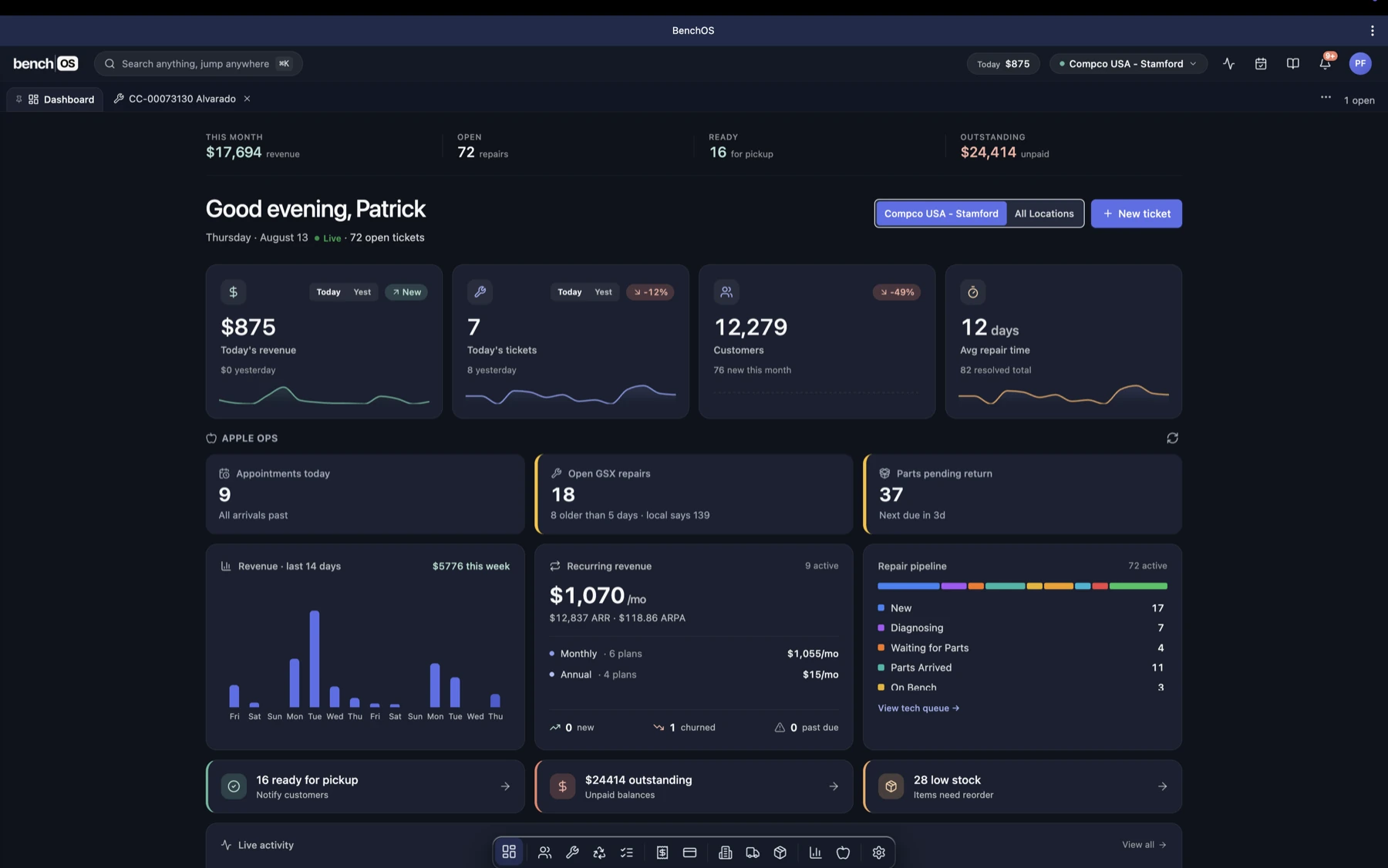
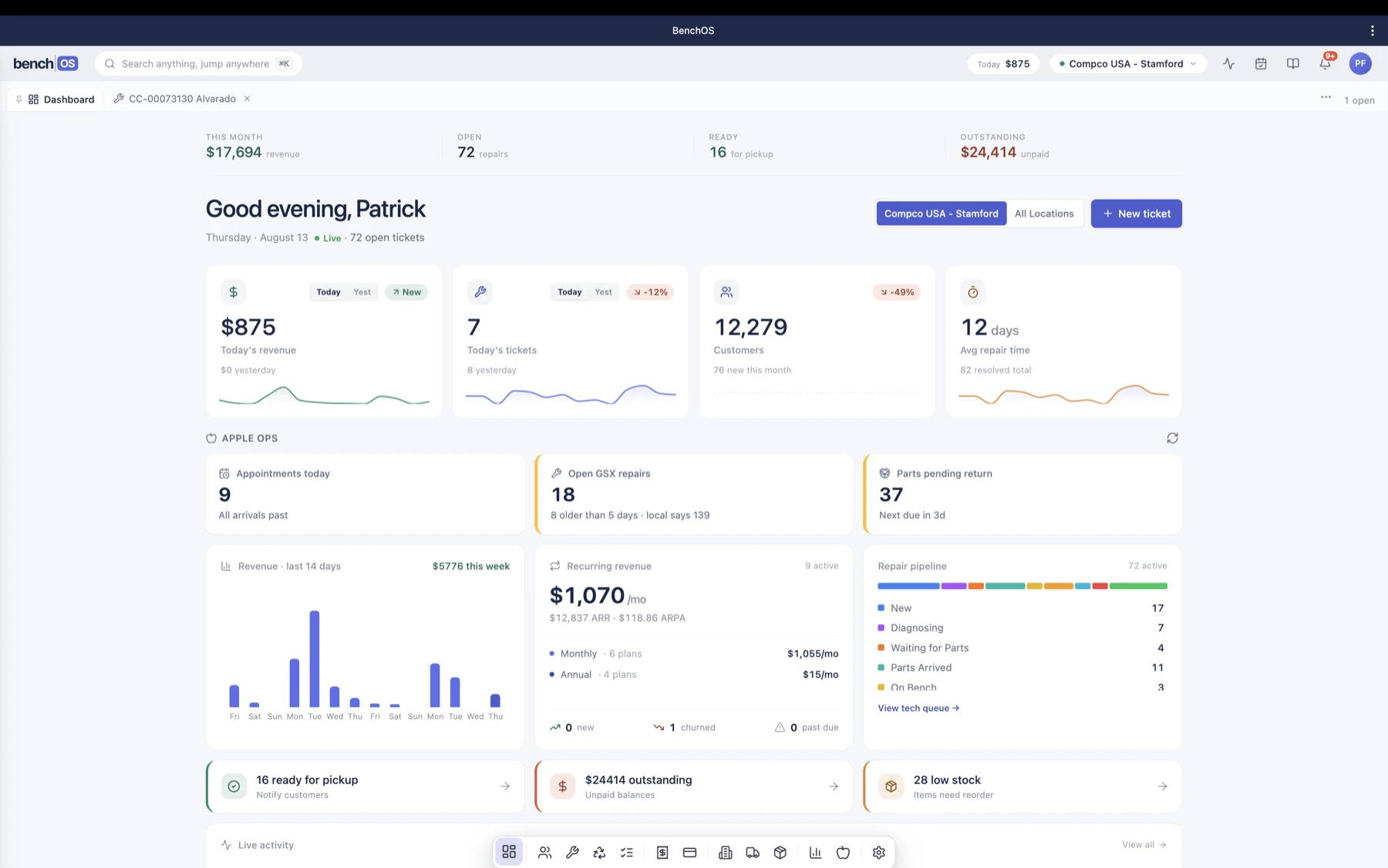
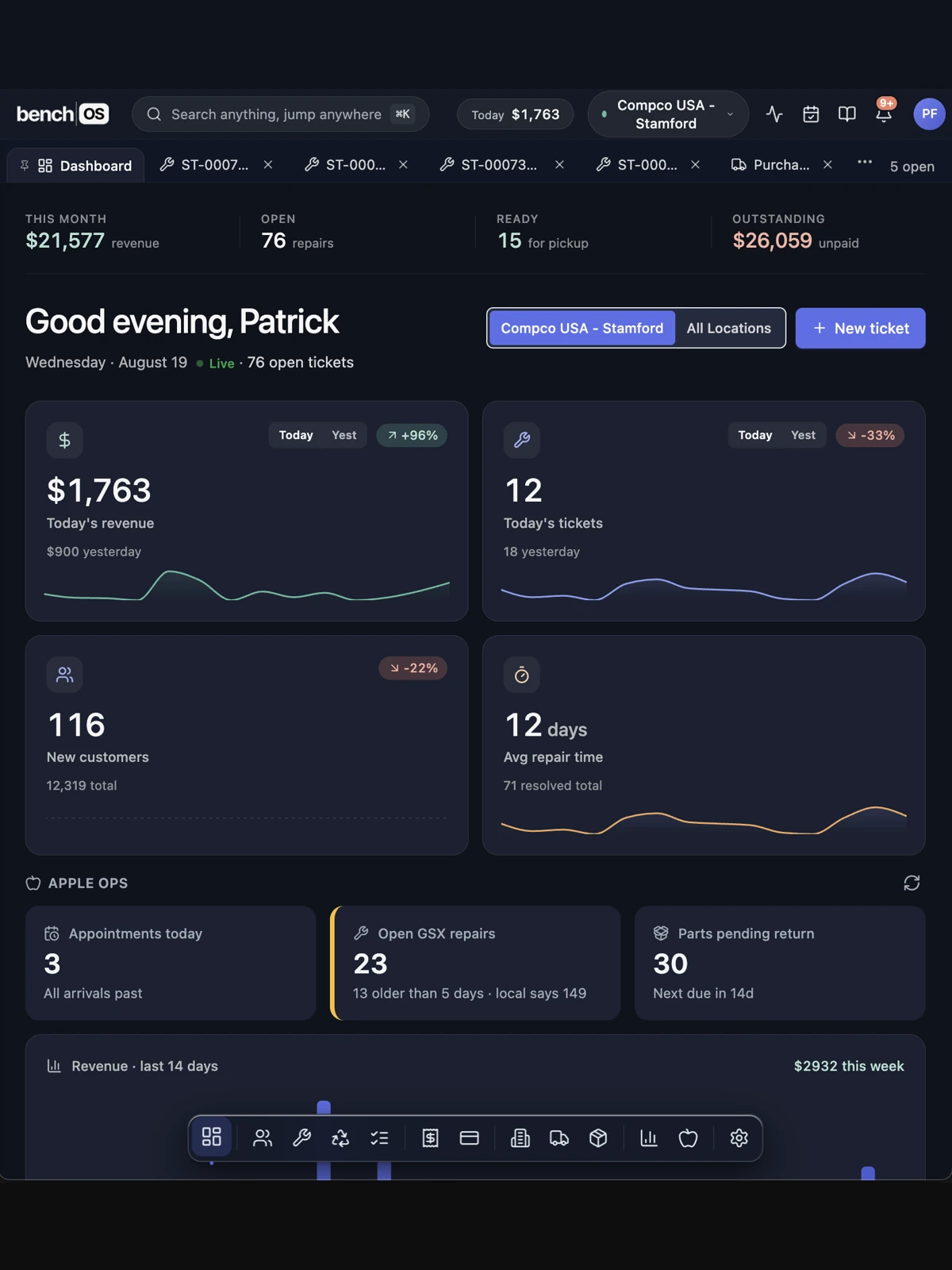
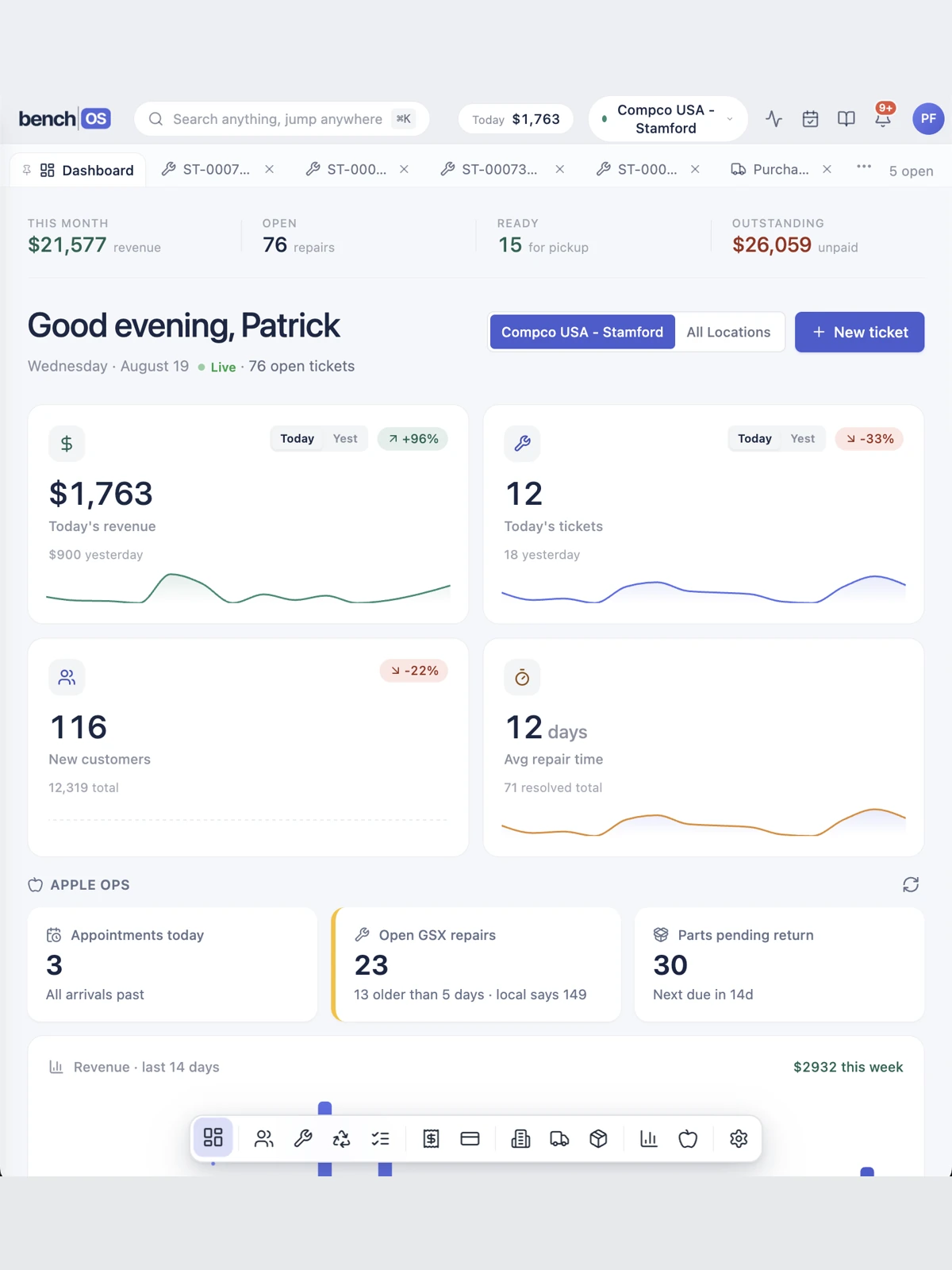
The BenchOS dashboard in dark mode: today's revenue, repair pipeline, Apple Ops and recurring revenue for a live AASP The BenchOS dashboard in light mode: today's revenue, repair pipeline, Apple Ops and recurring revenue for a live AASP
BenchOS on a tablet: today's numbers and Apple Ops at the counter BenchOS on a tablet: today's numbers and Apple Ops at the counter
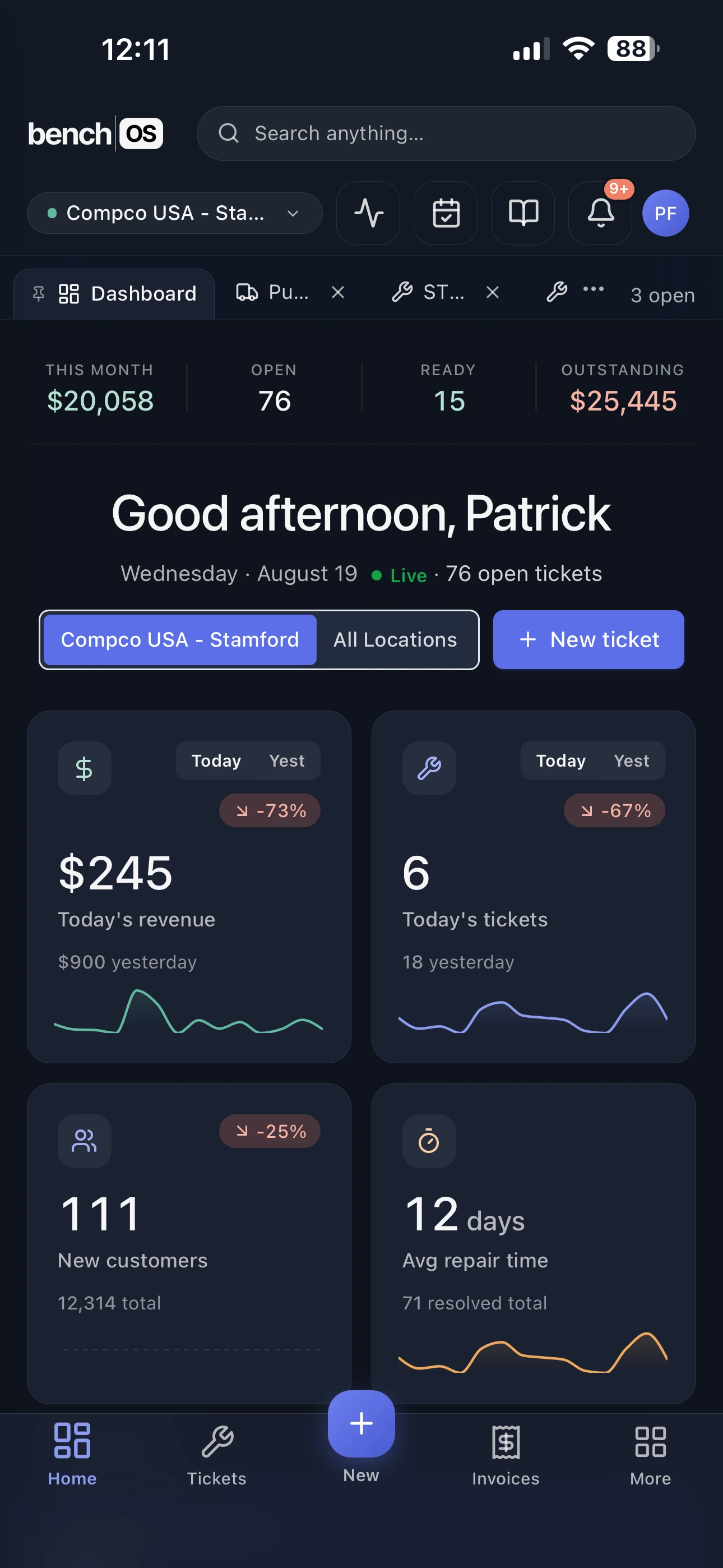
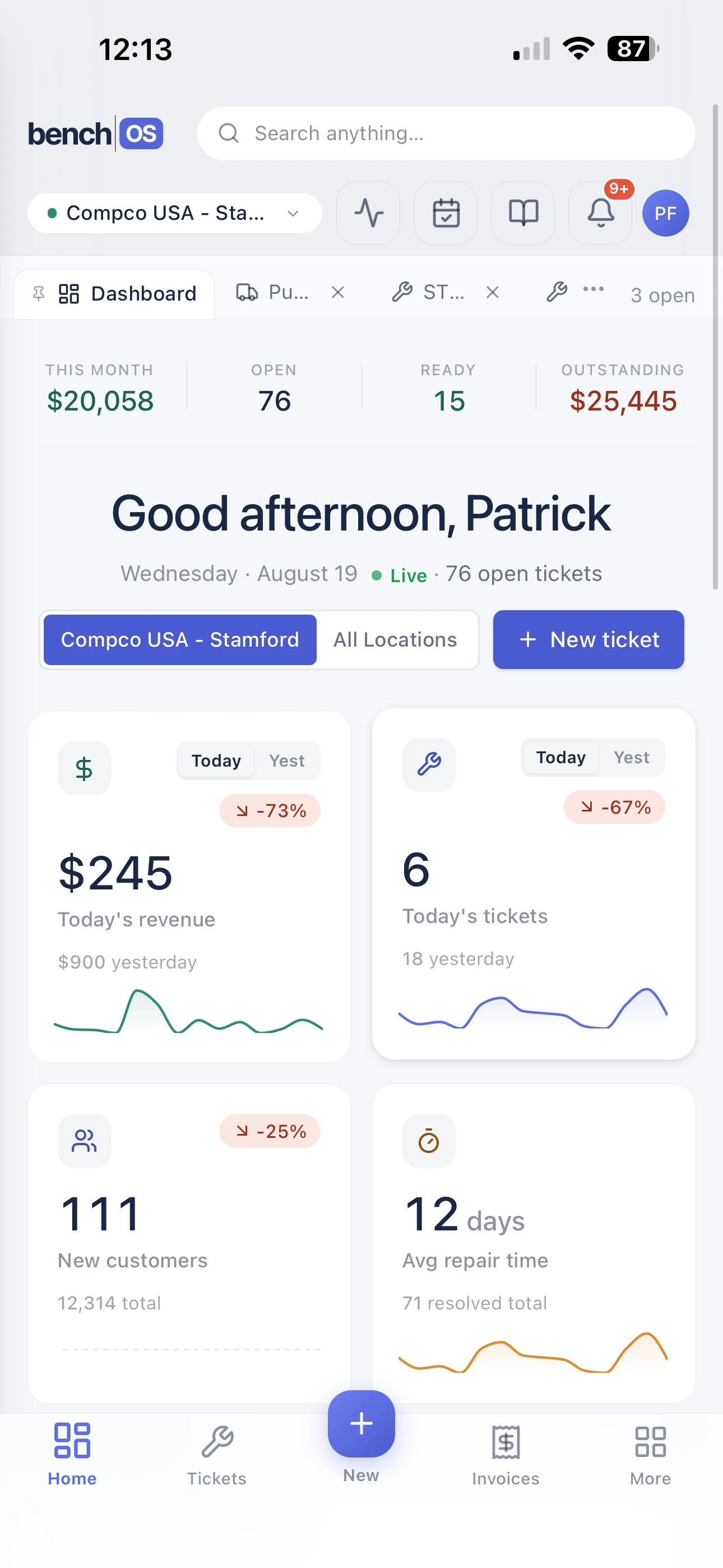
BenchOS on a phone: today's revenue, tickets and repair metrics for a live AASP BenchOS on a phone: today's revenue, tickets and repair metrics for a live AASP

Not a mockup. This is BenchOS on an ordinary Thursday at Compco USA, a live multi-location AASP. Light or dark, on whatever's at the counter.

Free plan is the whole platform, not a trial. No card required.
Plays well with your stack

Stripe 31 Google Calendar Slack Twilio QuickBooks
Outlook Calendar Resend Google Reviews Shippo PrintNode L Lenovo IM Ingram Micro
More integrations on the way. Ask us what's next →
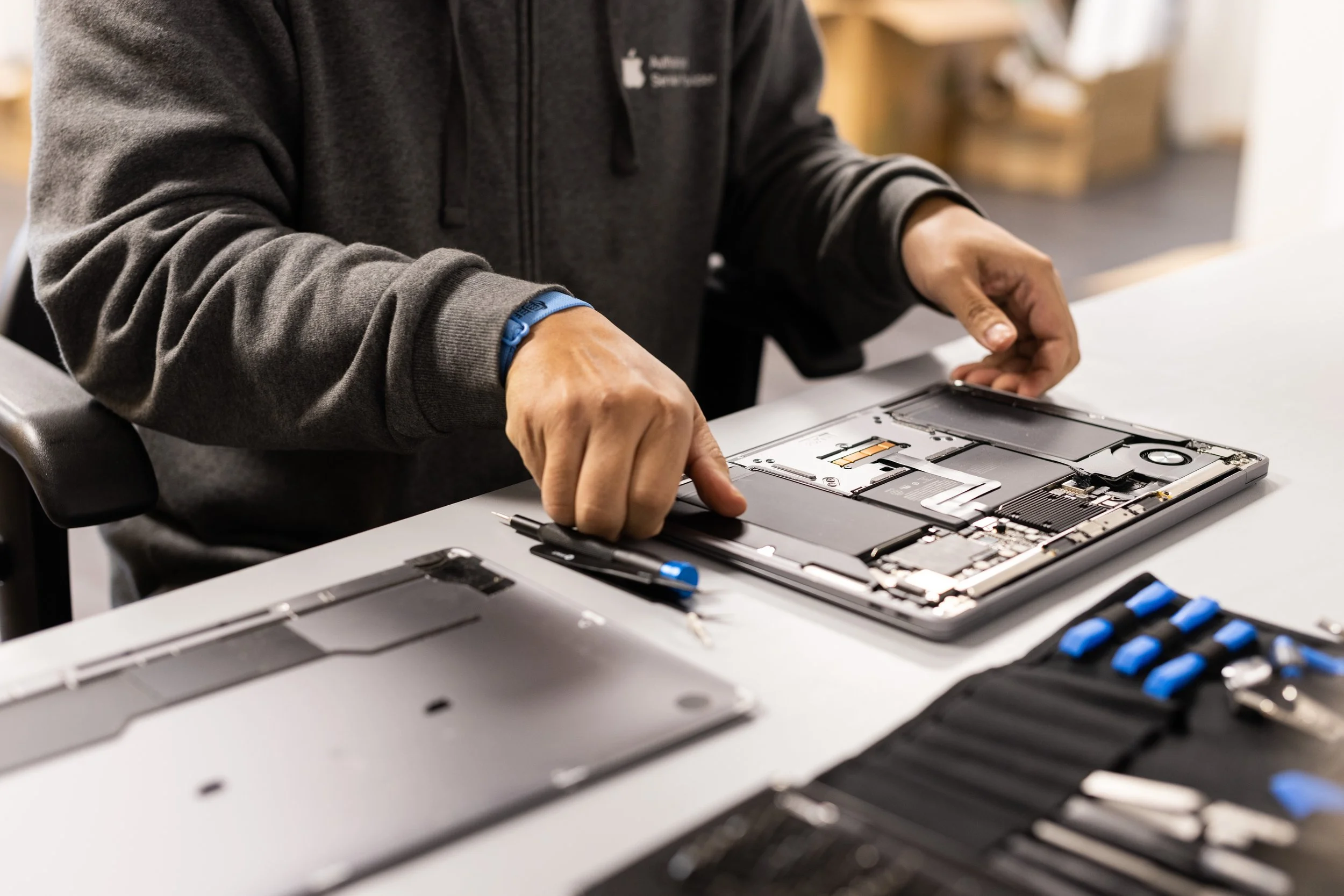
A technician opening a MacBook for repair at Compco USA, an Apple Authorized Service Provider
The bench at Compco USA, tenant zero.
A repair technician at a workstation at Compco USA, working a ticket

Built at the bench, not in a boardroom

BenchOS runs the counter and the bench at Compco USA, a multi-location Apple Authorized Service Provider. The people who built it clock in on it every day. Every feature started as a real ticket, a real part order, a real customer standing at the counter.

That's why the free plan is the whole platform: run your shop on it and decide for yourself.

Everything your repair shop runs on, in one place

Built for Apple Authorized Service Providers and independent repair shops. Click through what runs your day.

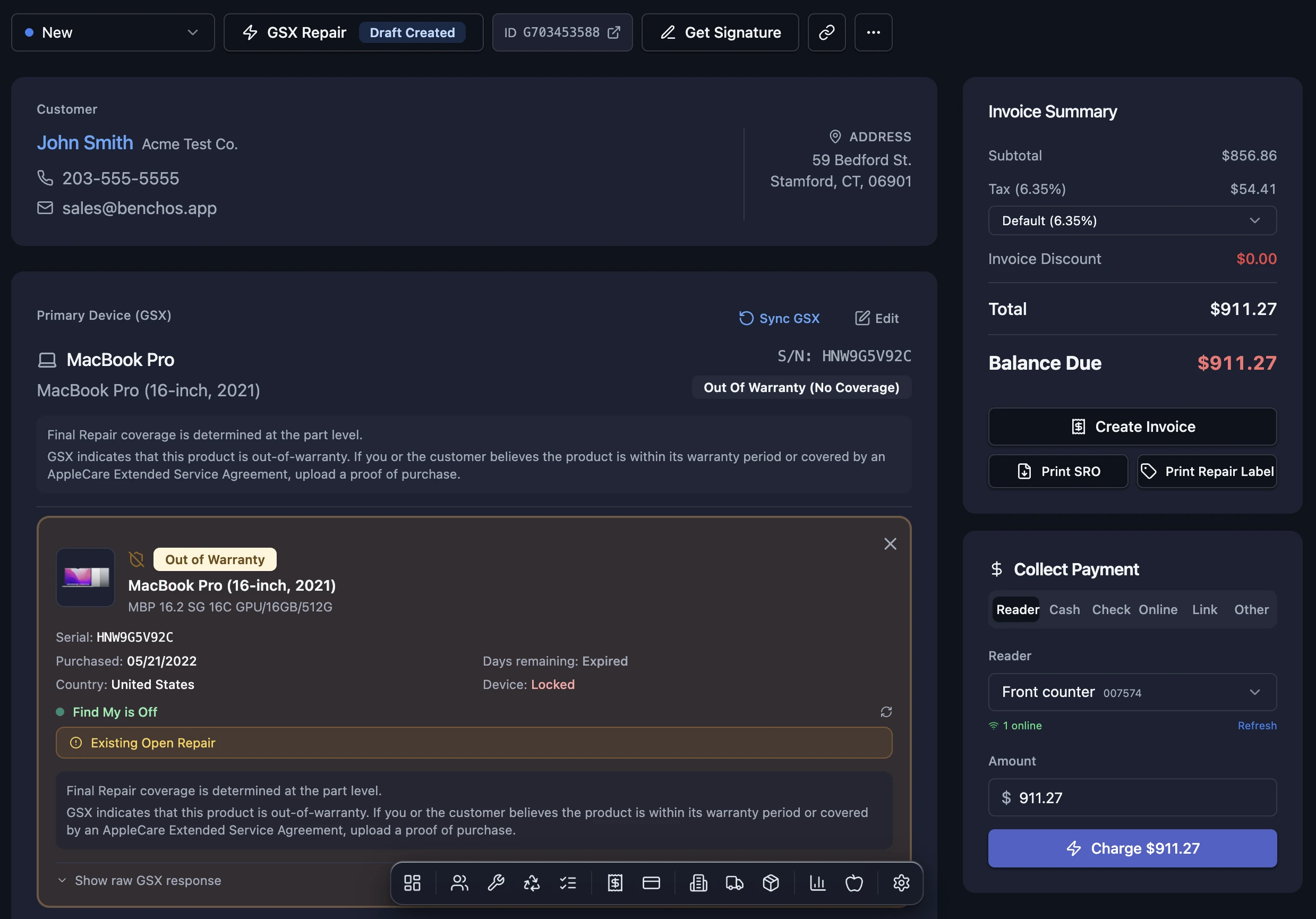
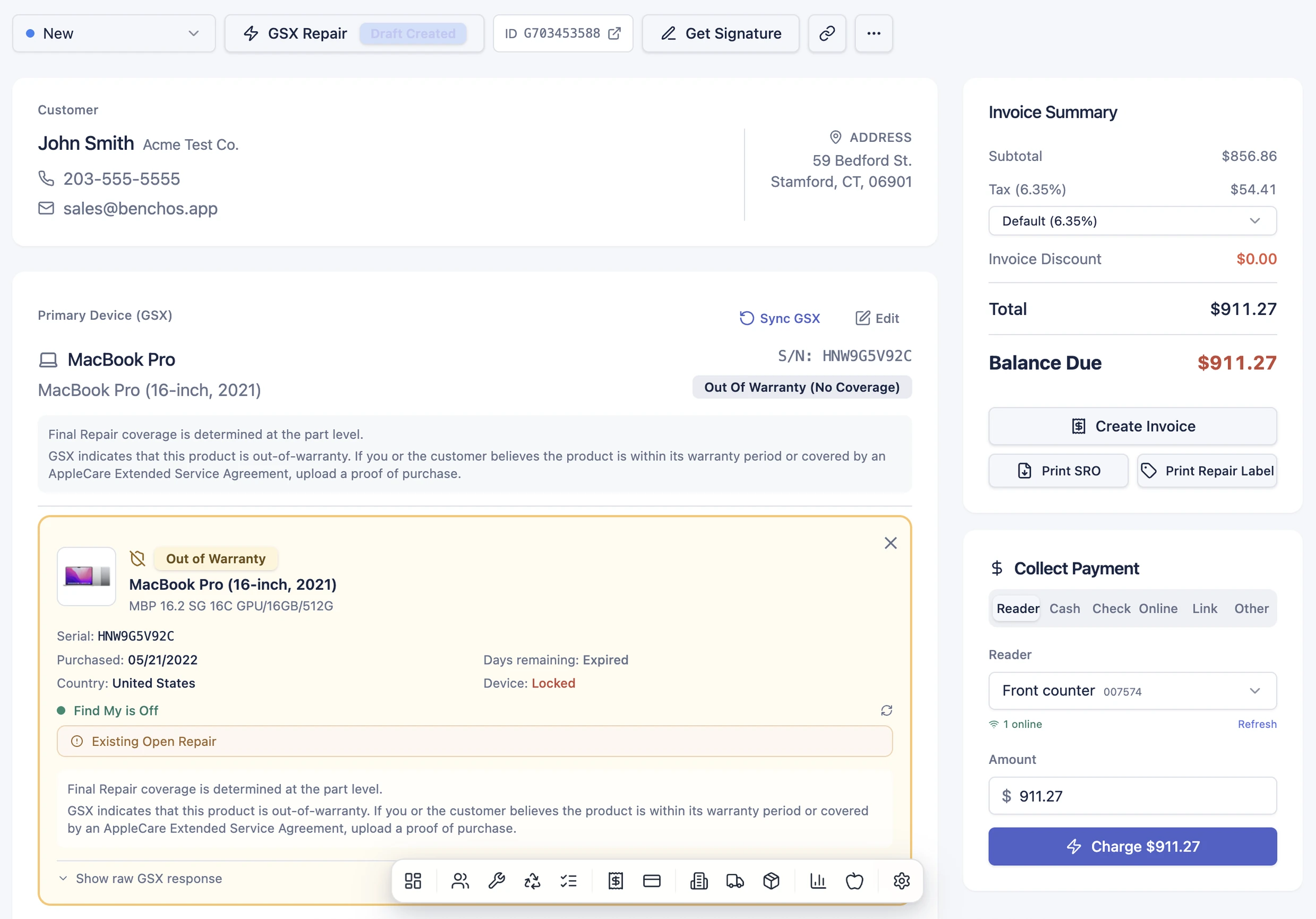
A BenchOS repair ticket: customer, GSX device with live warranty lookup, invoice summary totaling to the cent, and card payment collection, all on one screen A BenchOS repair ticket in light mode: customer, GSX device, invoice summary and payment collection on one screen

Repair tickets & workflow

Check in a device in under a minute and everything about the job lives in one place: customer, device history by serial number, passcode, photos, signatures and status. Your techs move a repair from intake to ready-for-pickup on a board they actually keep current, so nothing gets lost between the counter and the bench.

Start free Learn more →
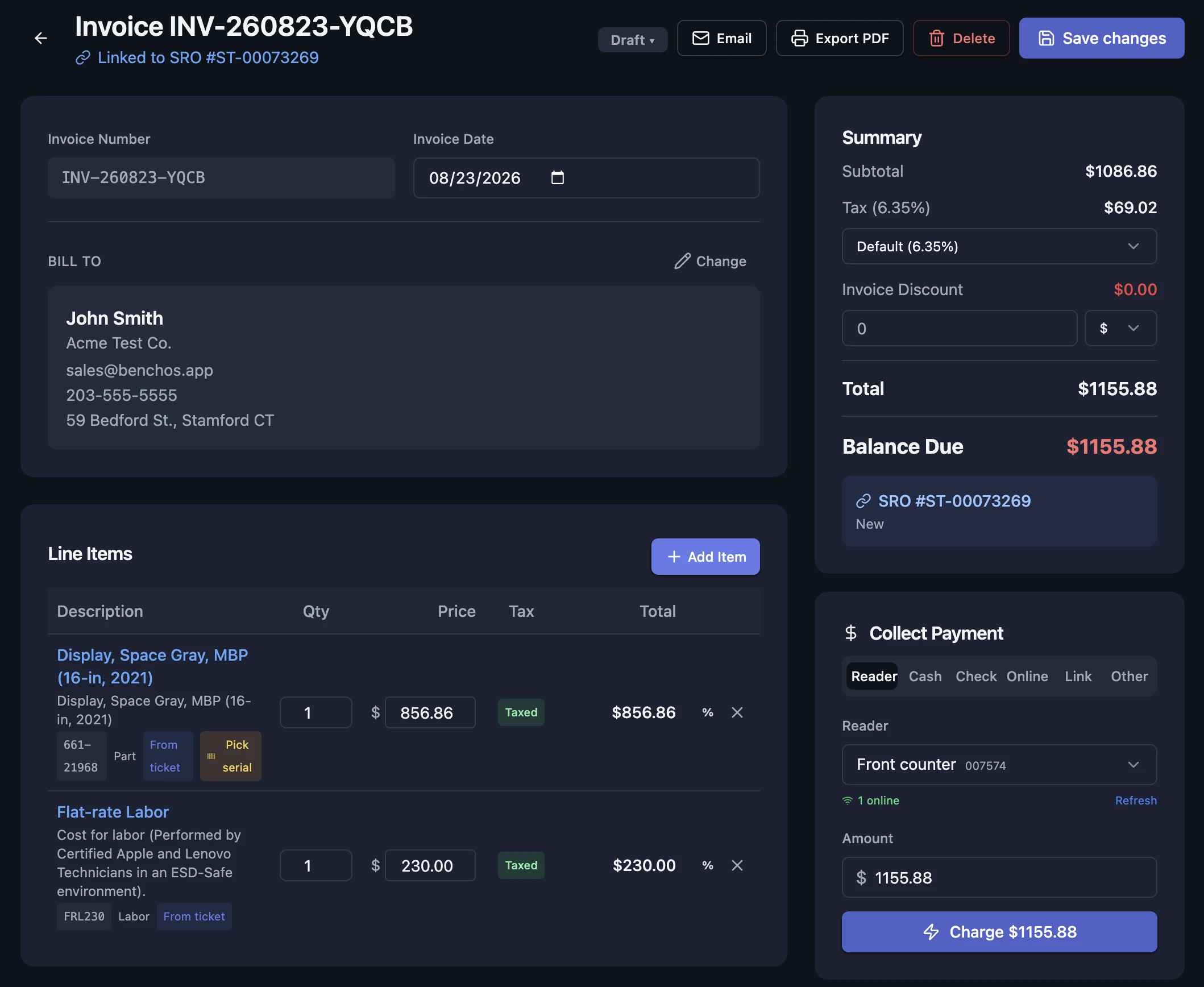
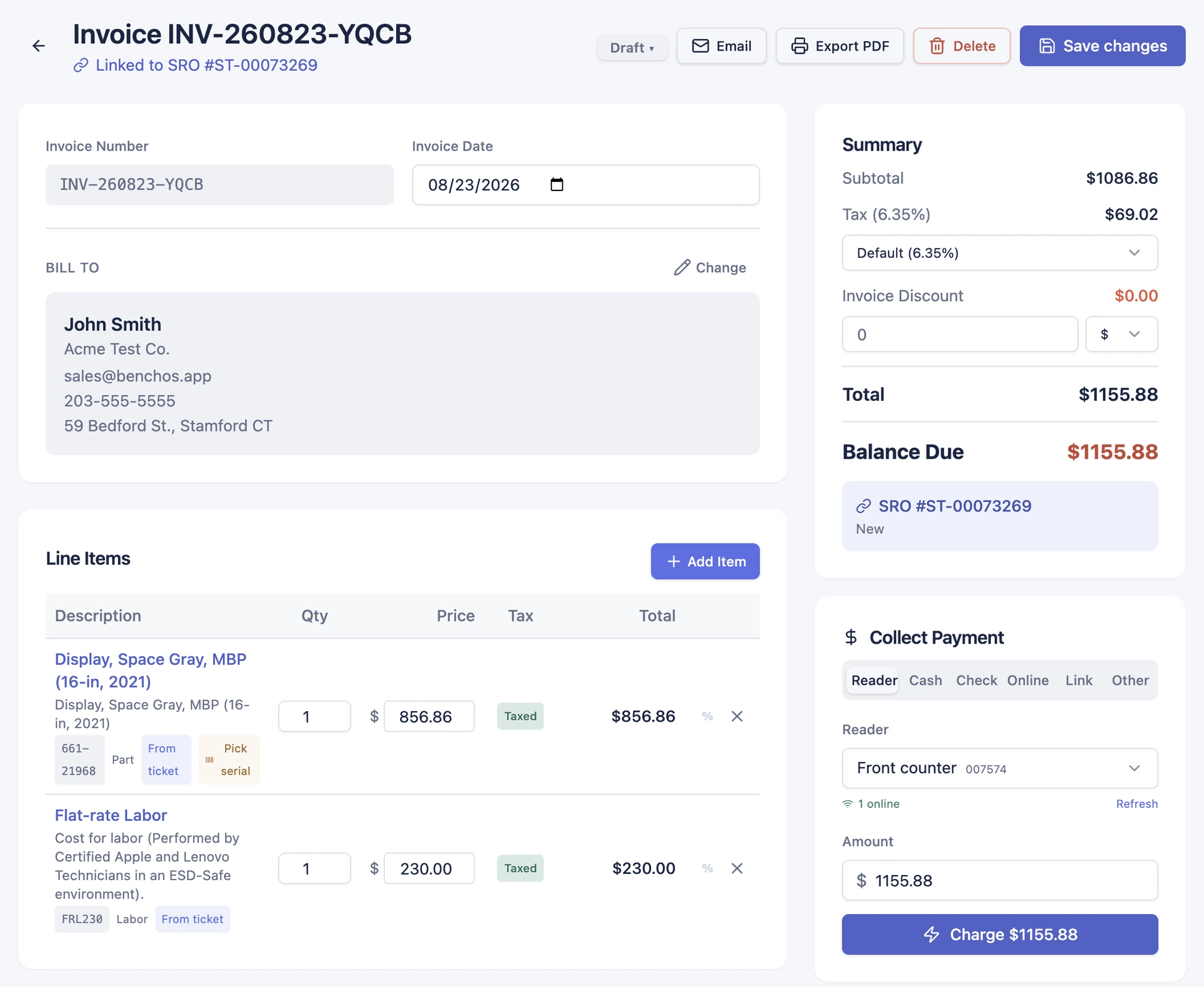
A BenchOS invoice with line items, tax and totals, and a Collect Payment panel (reader, cash, check, online, link) charging $1,155.88 through your own Stripe account A BenchOS invoice and payment screen in light mode: line items, a summary totaling to the cent, and card payment through your own Stripe reader

Invoicing & payments

Take card, terminal, deposits and payment links straight through your own Stripe account. You're the merchant of record, so the money lands in your bank, not ours. Every invoice totals itself from what's on the ticket, tracks partial payments and balances to the penny, and can be sent to the customer to pay online in a tap.

Start free Learn more →
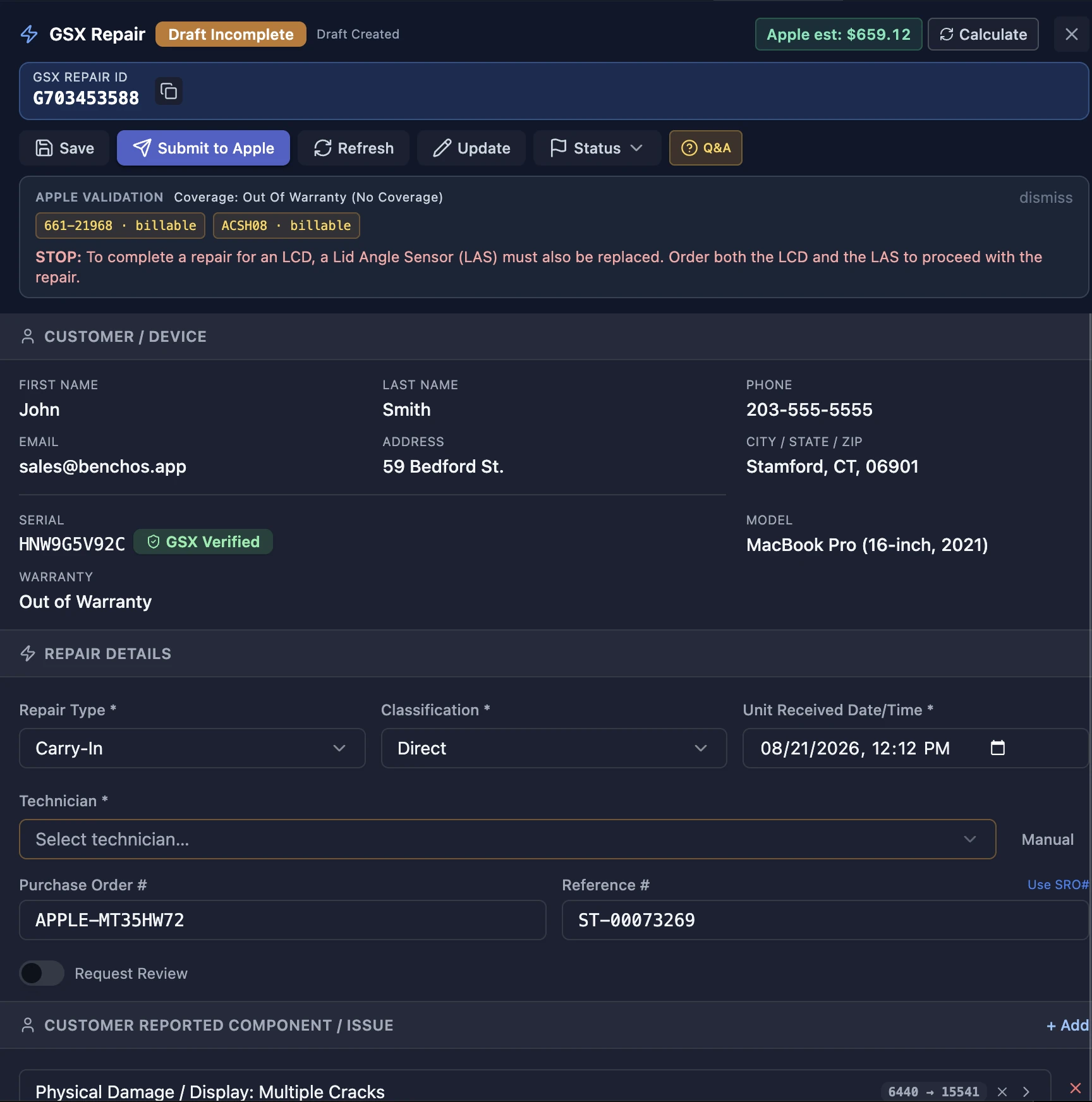
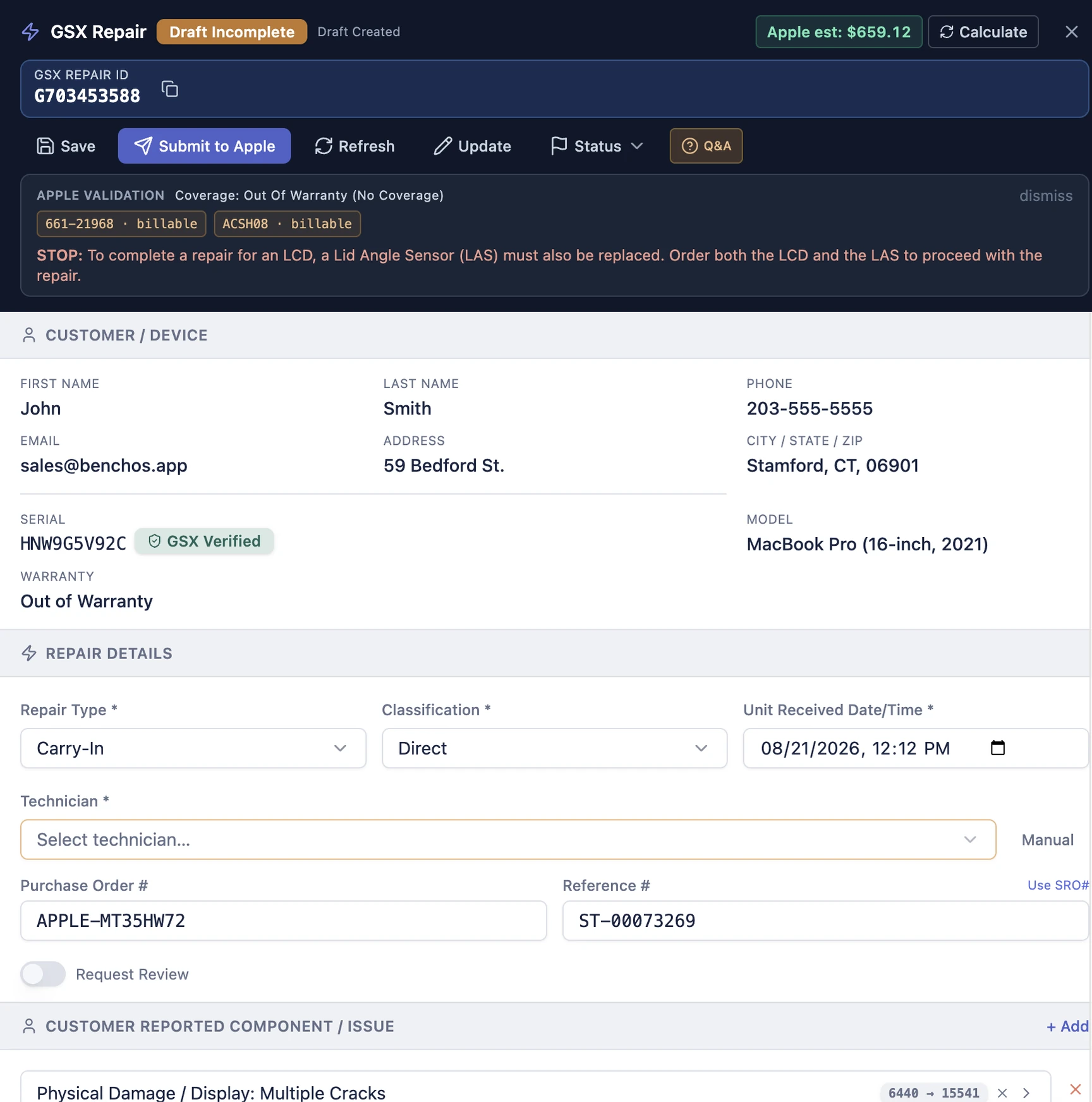
BenchOS GSX repair submission: a validated repair draft (repair ID, Apple coverage, customer, device, repair type and timestamps) ready to send to Apple, all inside the ticket BenchOS GSX repair submission in light mode: a validated repair draft ready to send to Apple from the ticket

Native Apple GSX

Warranty and coverage lookups, genuine Apple parts and repair submission all happen inside the ticket, not in another window you copy numbers out of. Serial in, AppleCare status and pricing out, in about a second. It's the deepest GSX integration in repair software, and every in-warranty repair's Apple labor credit is claimed and reconciled for you.

Learn more → How the AASP plan works →
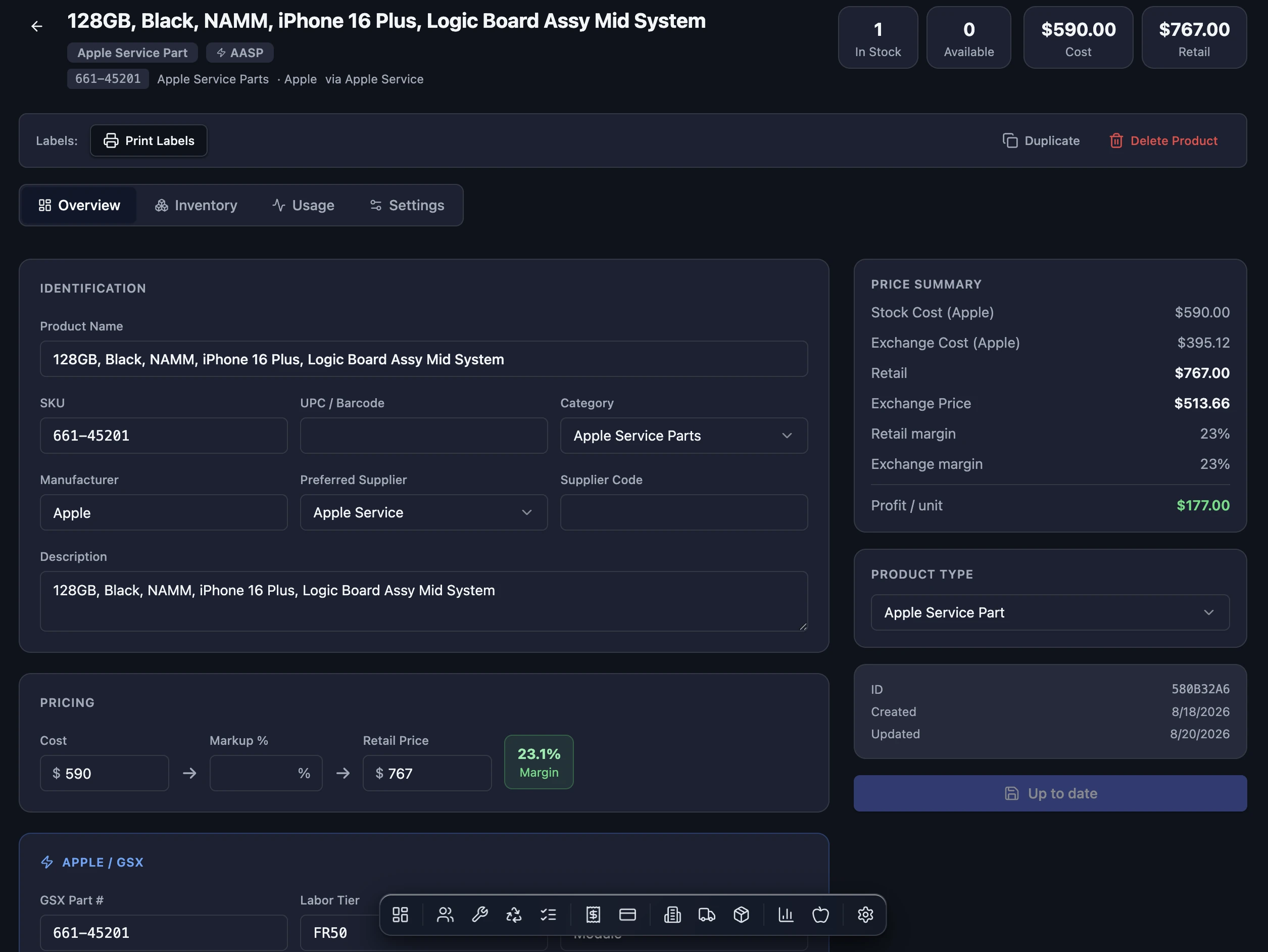
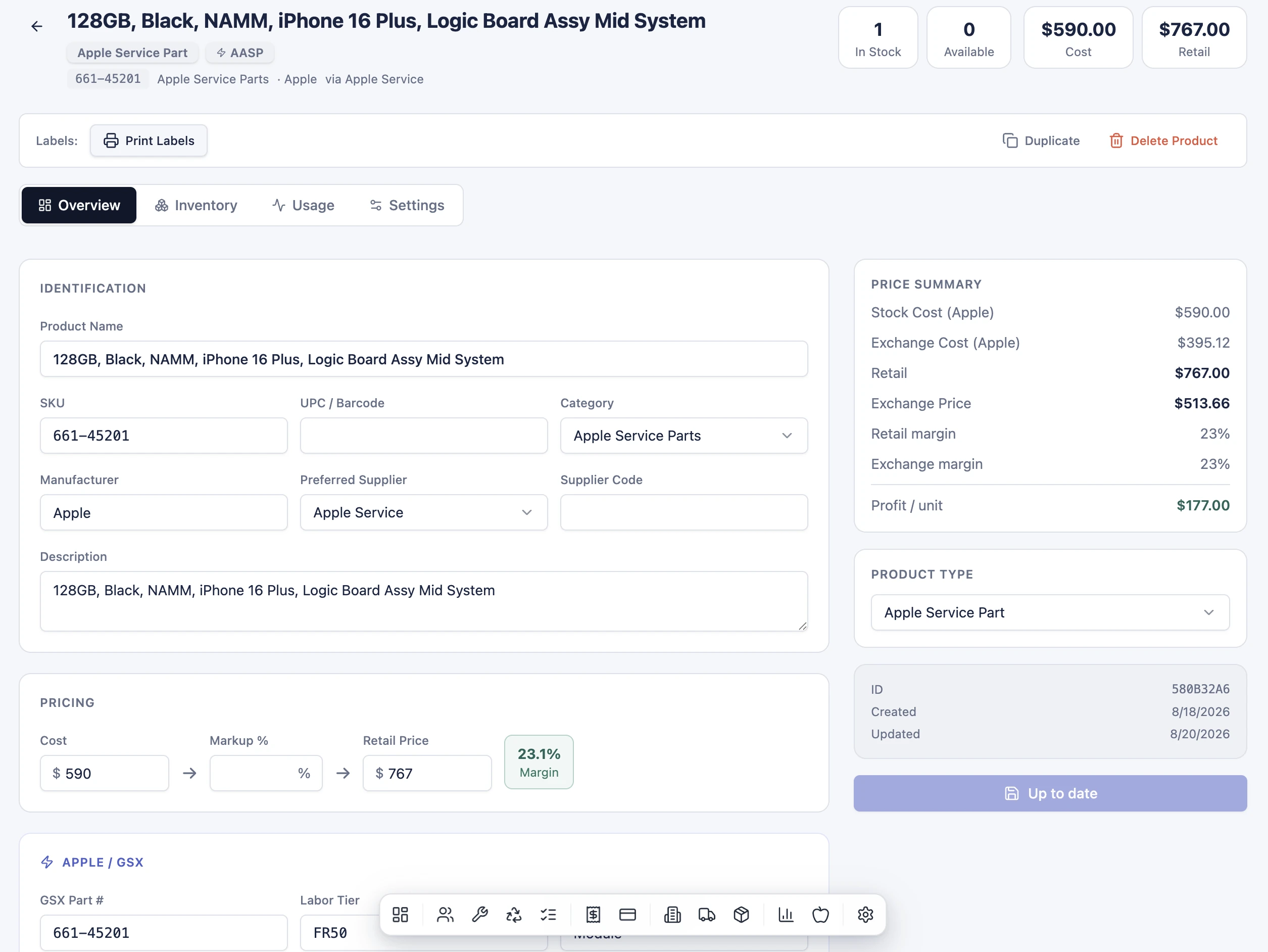
A BenchOS inventory product card for a genuine Apple service part: SKU, GSX part number, stock on hand, cost, retail and exchange pricing, margins and AASP labor tier, all in one place A BenchOS inventory product card in light mode: an Apple service part with SKU, stock, cost, retail and exchange pricing and margins

Inventory & purchase orders

Track stock, serialized parts and purchase orders against the tickets they belong to. What you ordered, what you used and what you billed always line up, so you're never quietly eating the cost of a part that walked out the door unbilled.

Start free Learn more →
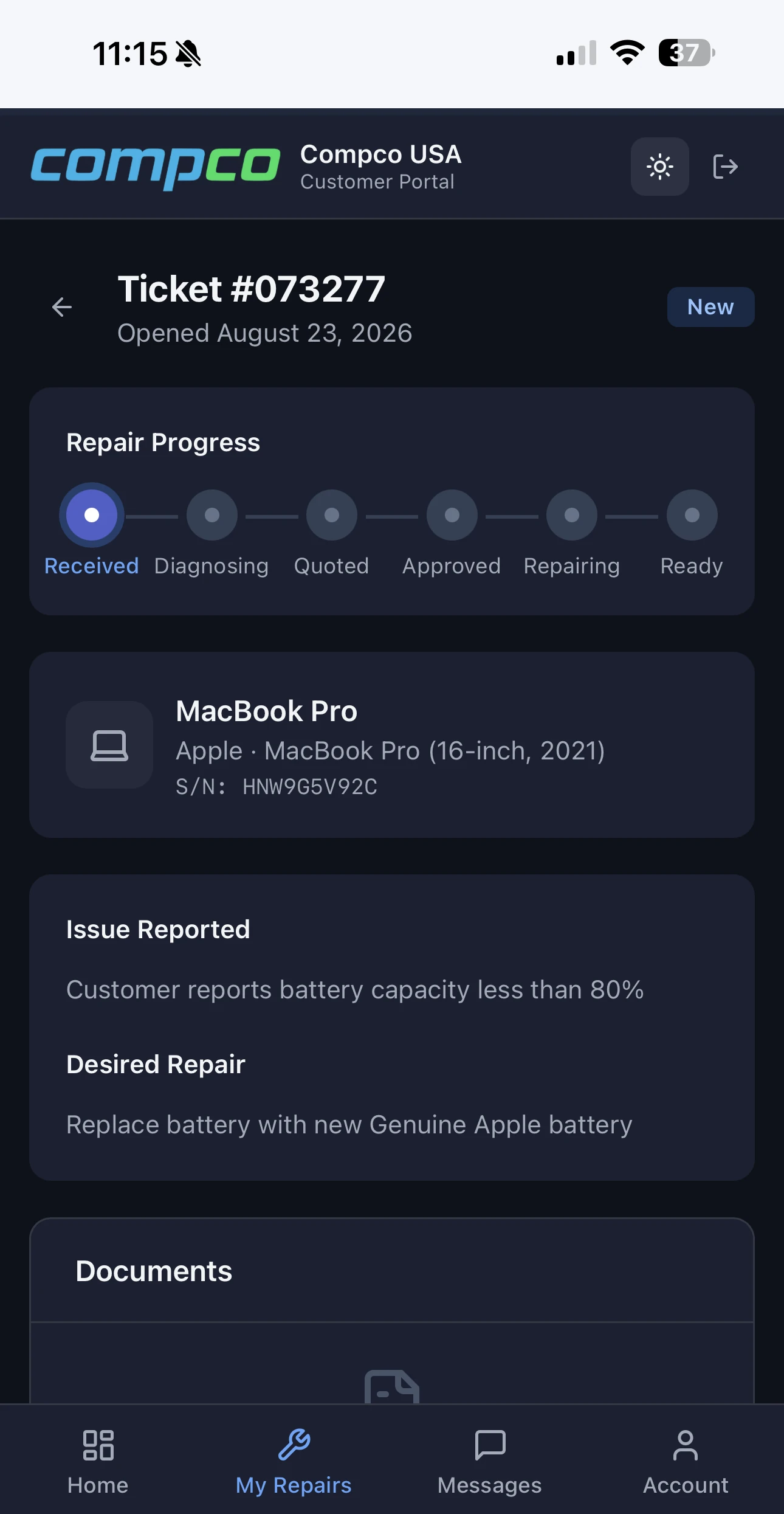
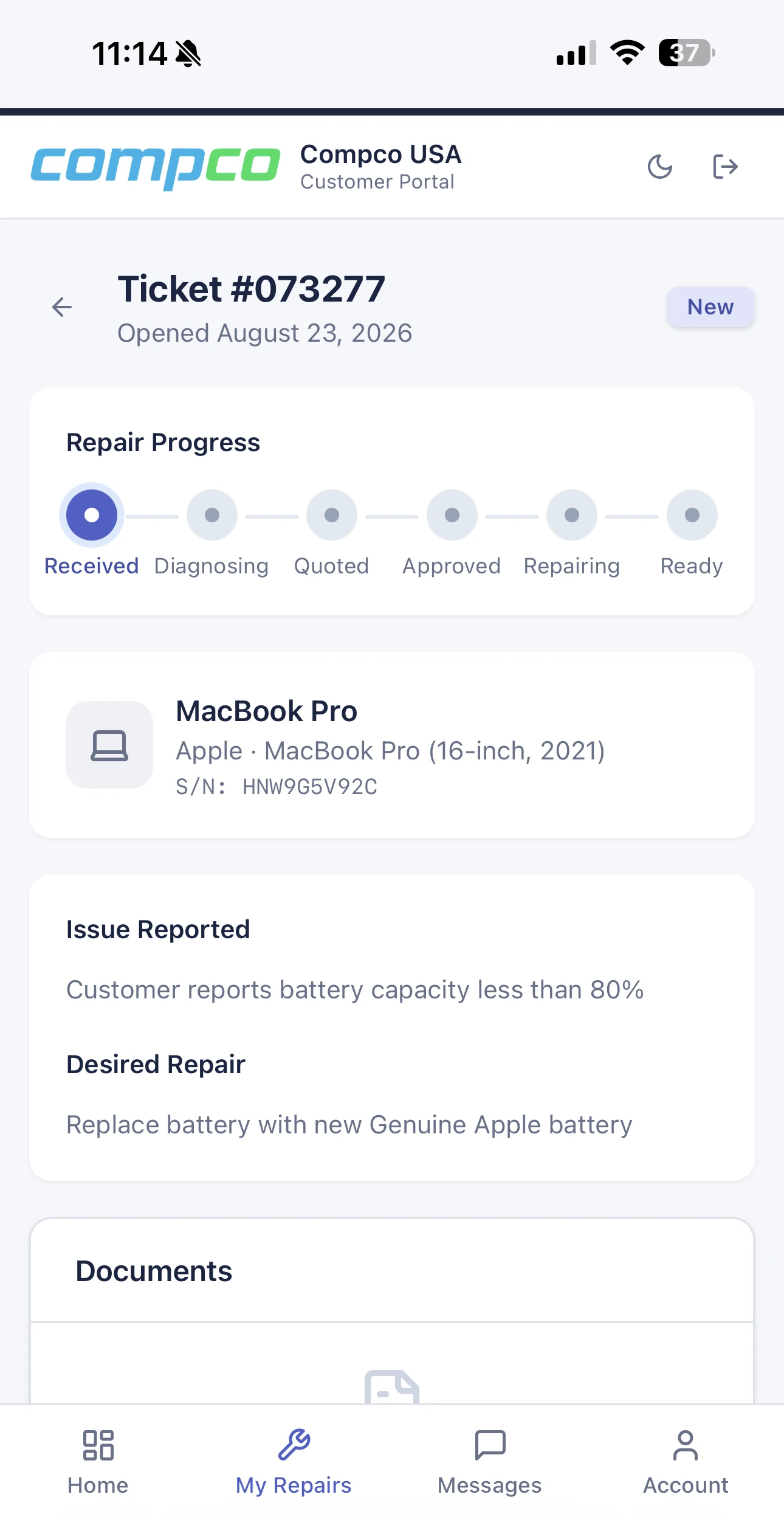
The BenchOS customer portal on a phone: a customer tracks their MacBook Pro repair with a live progress bar, device details and the reported issue The BenchOS customer portal on a phone in light mode: live repair progress, device details and the reported issue

Customer portal

Give customers their own page to check repair status, approve quotes and pay online, showcasing your own branding. No logins to chase, no "any update?" calls tying up the front counter. They stay informed on their own time; your team stays heads-down on the bench.

Start free Learn more →
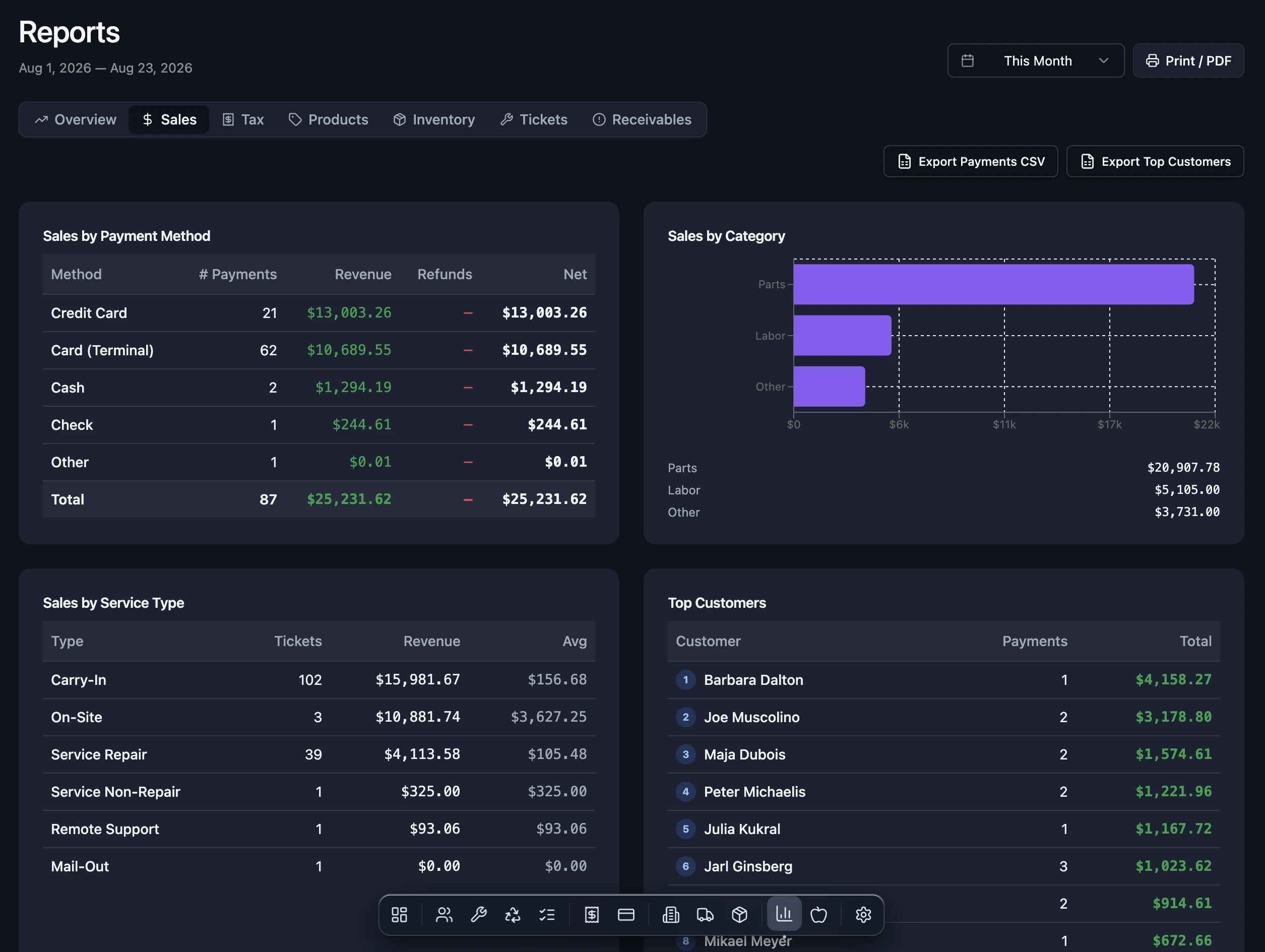
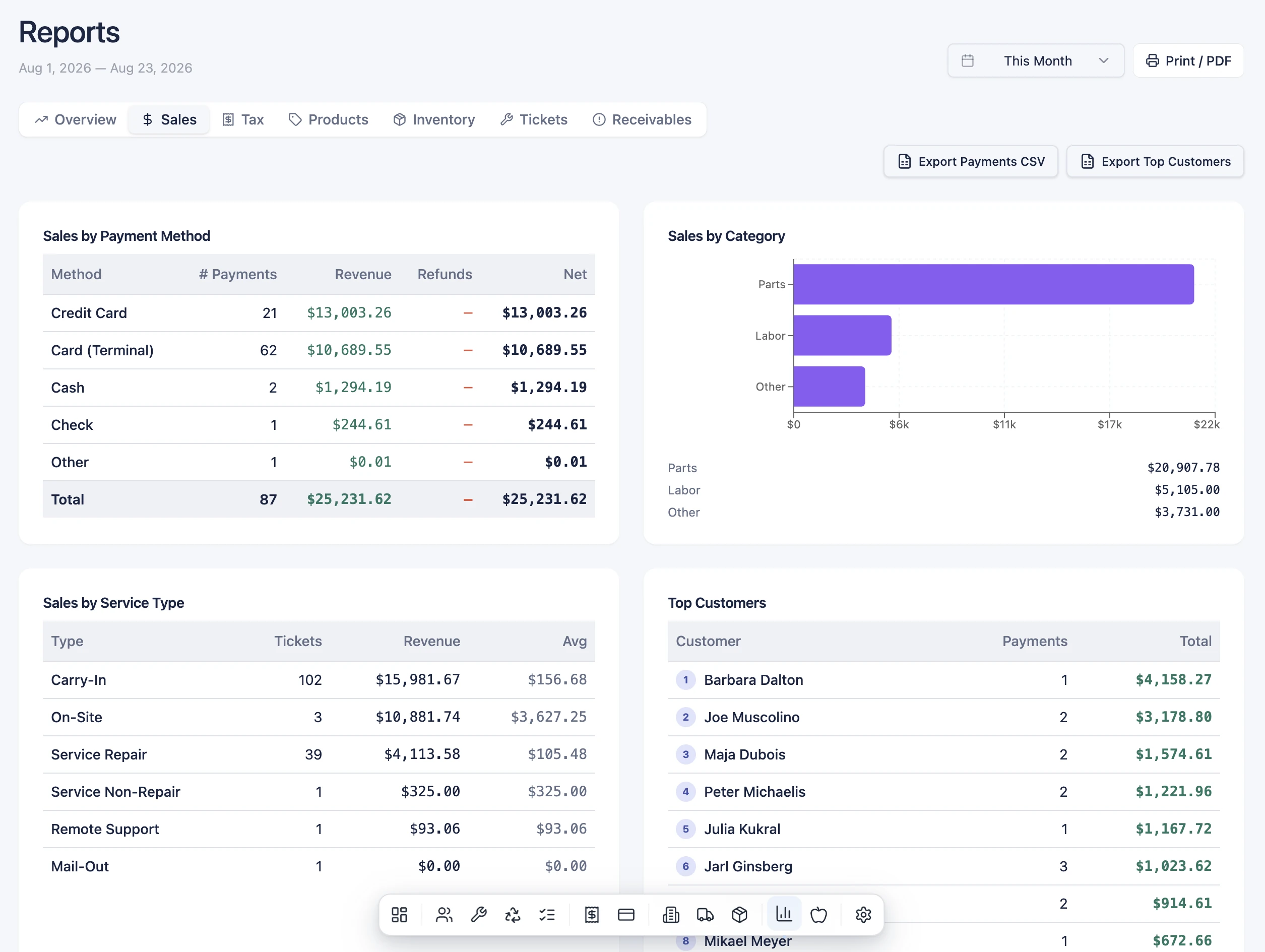
The BenchOS Reports view: sales by payment method, sales by category, sales by service type and a top-customers list for the month, each totaling to the cent The BenchOS Reports view in light mode: sales by payment method and category, sales by service type, and top customers for the month

Reports you can trust

See exactly where the business stands: sales, what customers owe you, and what Apple owes you, each kept separate and always current. Clean numbers you can hand straight to your accountant, plus a running view of every dollar you're still owed.

Start free
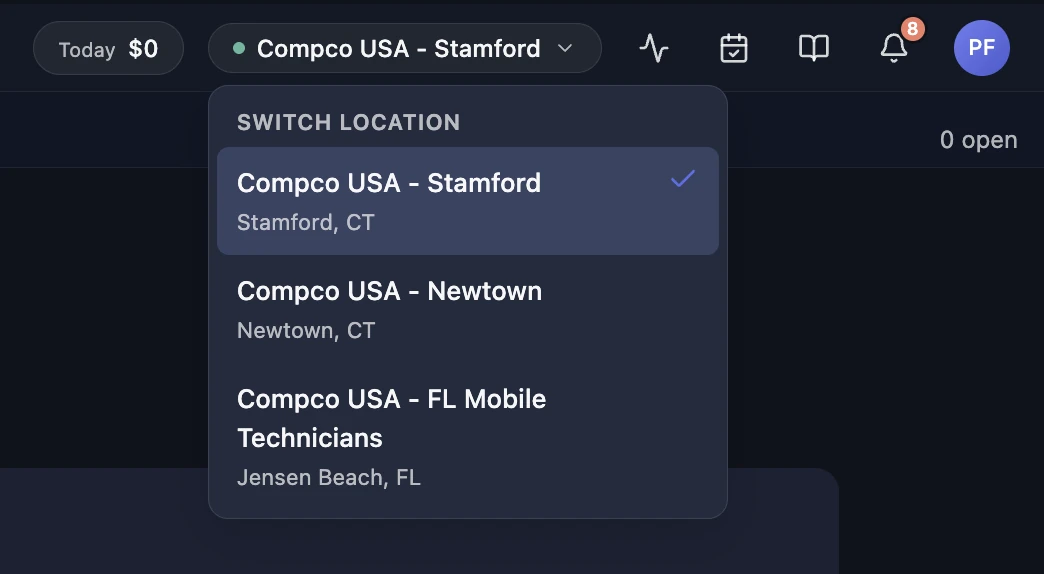
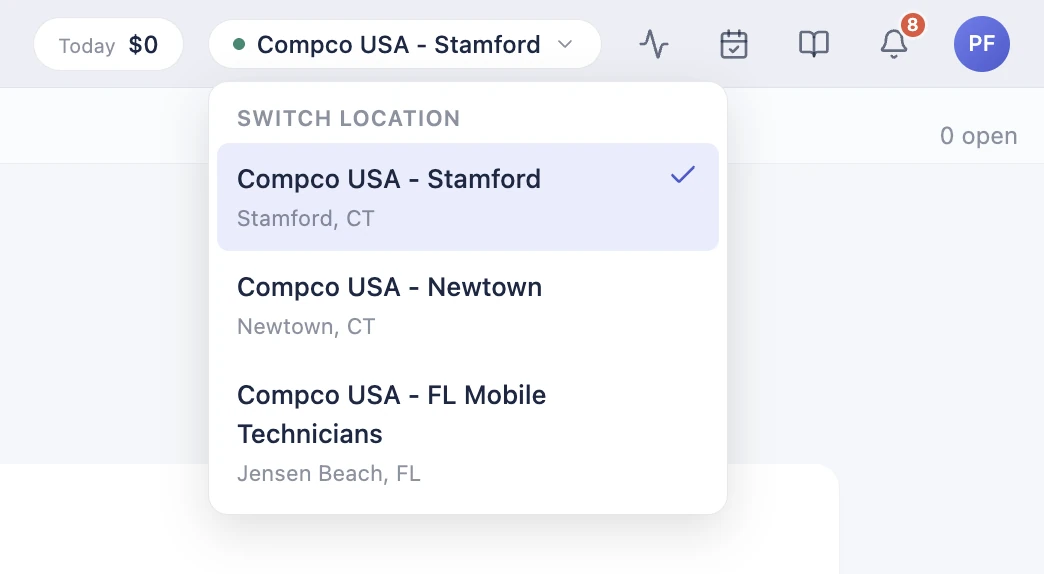
The BenchOS location switcher open in the top bar: switch between Compco USA - Stamford, Newtown and FL Mobile Technicians, each its own store, from one login The BenchOS location switcher in light mode: switch between three Compco stores from one login

Built for multiple locations

Run every store from one login, each with its own payments, tax rates and reporting, then zoom out to the whole business in a single view. Built for multiple locations from day one, so growing from one shop to five never means switching software.

Start free Learn more →
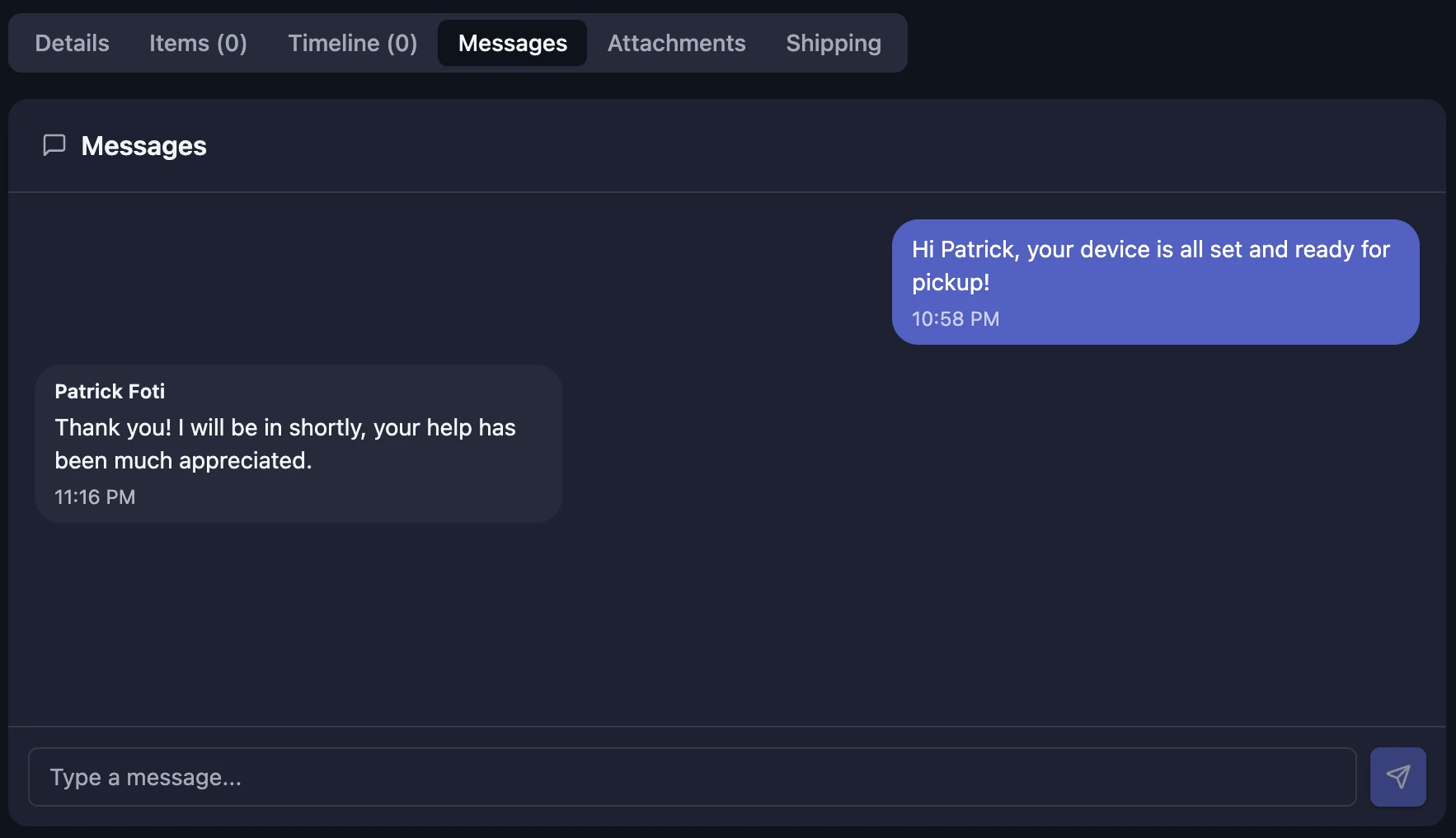
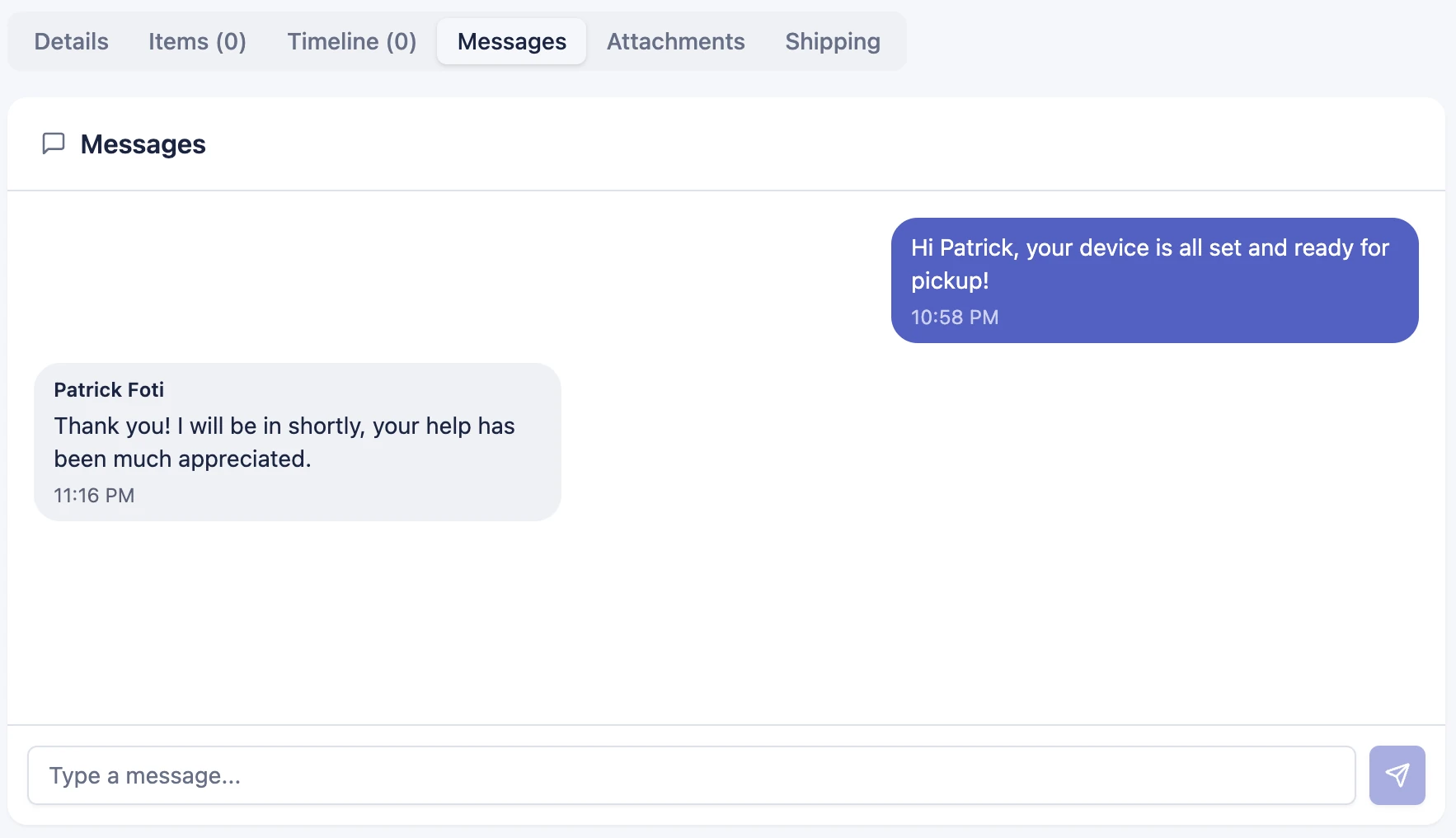
A two-way message thread on a BenchOS ticket: the shop's reply on one side, the customer's on the other, timestamped, right inside the repair A two-way message thread on a BenchOS ticket in light mode: shop and customer messages on opposite sides, inside the repair

Customer messaging, Slack & SMS

Message customers in a clean two-way thread, right from the ticket. Send an update and their reply lands back in the same place. New tickets post to your Slack channel too, so the bench, the front counter and the customer all stay in the loop without anyone picking up the phone.

Start free
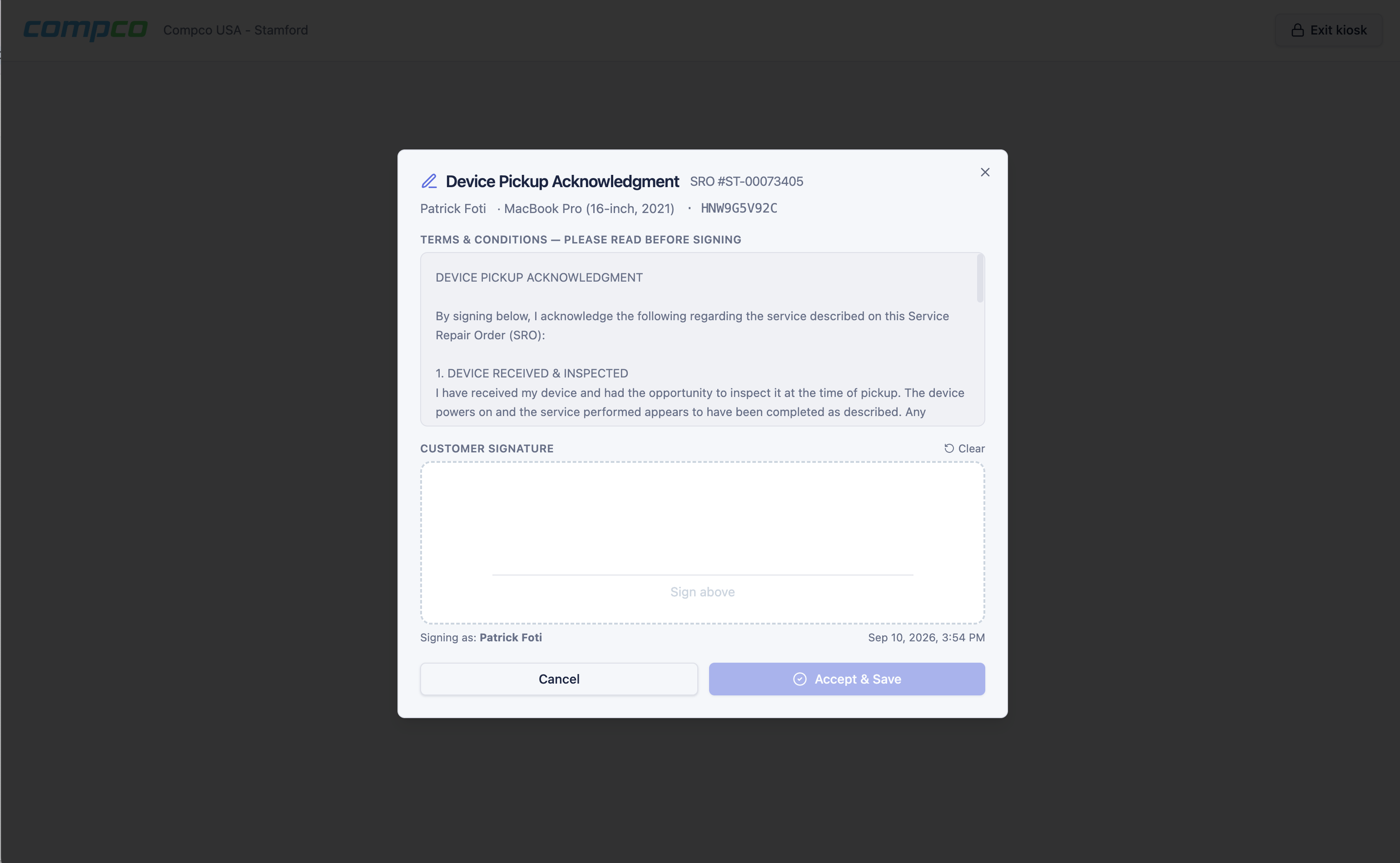
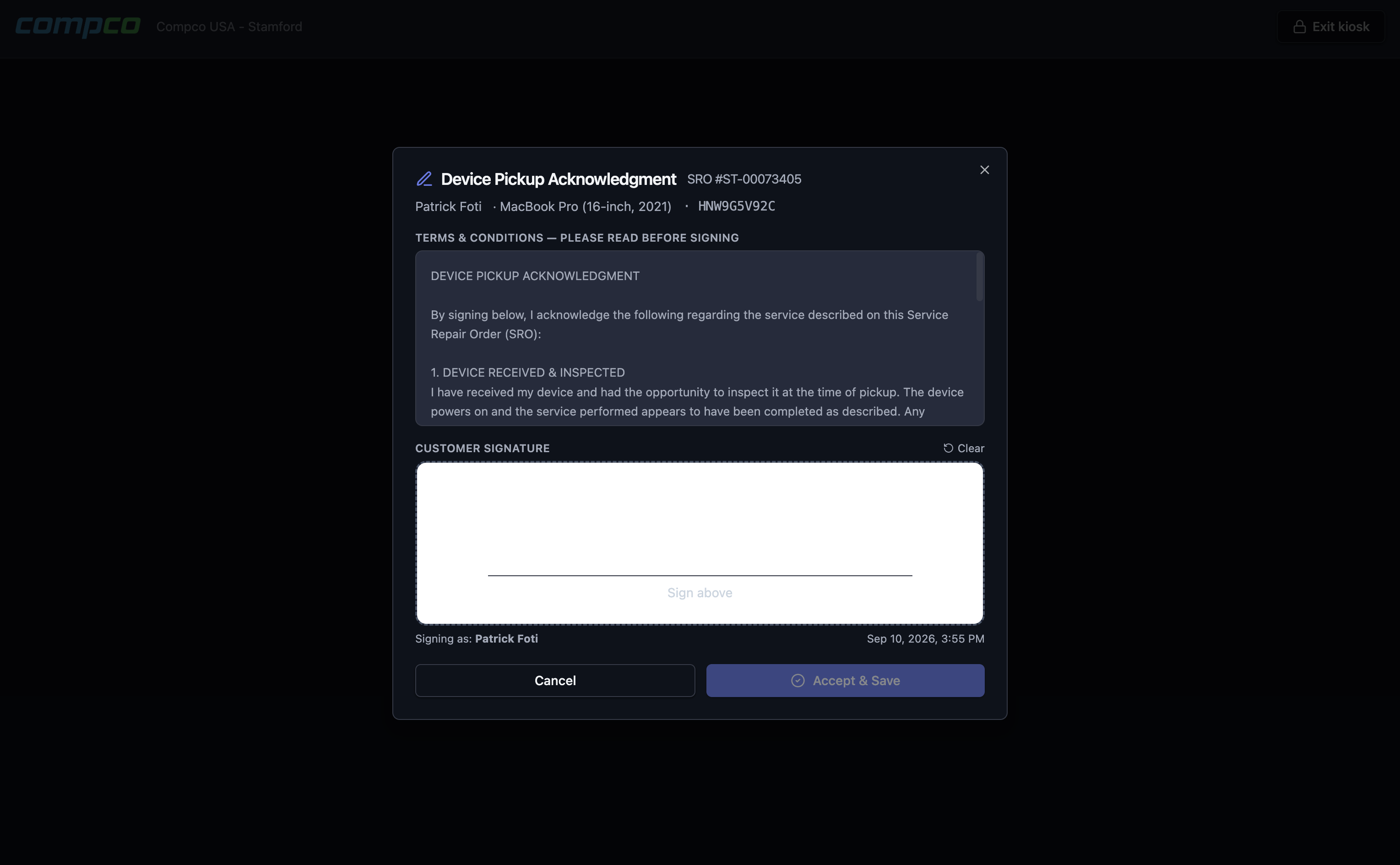
Kiosk check-out signature screen (light) Kiosk check-out signature screen (dark)

Kiosk & self-service check-in

Put an iPad on the counter. Customers enter their info, describe the problem, sign the intake form, and walk away while your techs keep working. Check-out works the same way: staff push a ticket to the kiosk, the customer signs for their device, and pickup is done.

Start free Learn more →

Website intake widget

Paste a snippet on your website and customers can start a repair ticket right there. Submissions arrive as Web Lead tickets at the location you choose, ready for your team to confirm and schedule. No login required for the customer, no extra software for you.

Start free

It works like an operating system, not a web form

That is the OS in BenchOS. No cramped left sidebar. A macOS-style dock, real tabs you open and pin, windows you pop out side by side, and a command palette that jumps you anywhere. The work gets the whole screen, and every panel has room to breathe.

A dock, not a sidebar

Your sections live in a macOS-style dock at the bottom of the screen, out of the way until you reach for them. Right-click any icon to open it as its own tab.

Real tabs

Open a ticket, a customer and an invoice at once. Tabs pin, reorder and close, reopen with ⌘⇧T, and they survive a refresh.

Pop-out windows

Tear any tab off into a floating window and work two records side by side. Snap, tile and cascade them like a real desktop.

Jump anywhere with ⌘K

One keystroke opens a command palette that finds any ticket, customer, part or serial, switches tabs, or runs a command like New ticket.

Apple tools, always one glance away

Reservations, AST 2 diagnostics on demand, the knowledge base and live notifications sit right next to your profile, ready the moment you need them.

⌘K Jump anywhere ⌘1…9 Switch tabs ⌘W Close tab ⌘⇧T Reopen closed ⌘↵ Save ⌃⌥→ Snap window ⌘` Cycle windows
Customer tapping a card on a Stripe Terminal reader at a repair shop counter Stripe

Your Stripe account.
Your money. Directly.

Every charge, subscription, and payout goes straight to your own Stripe account. No middleman holding your funds.

  • Terminal readers Tap, chip, and swipe at the counter. Charges hit your account in real time.
  • Payment links Email or text a pay-now link. The customer pays, the invoice updates.
  • Recurring billing Subscriptions for maintenance plans or device protection, with automatic renewals.
  • Cash drawer and till Morning float, blind close, over/short to the penny. Z reports at end of day.
How payments work

Native GSX, all the way down

Generic repair software links out to GSX and calls it an integration. BenchOS speaks it natively: warranty, parts, repairs and Apple's money, inside the ticket.

  • Warranty & coverage lookupSerial in, coverage out: AppleCare status, purchase date and Find My state. Live from Apple, at the counter, in under a second.
  • Parts, priced from ApplePart cards with real pricing, exchange options and labor tiers, with no copying numbers out of another window.
  • Repair creation & submissionRepairs drafted and submitted to Apple from the ticket, validated the way Apple validates them.
  • Reimbursement, reconciledEvery in-warranty repair earns a labor credit from Apple. BenchOS invoices it at the correct tier rate and matches it to Apple's actual credit memos, flagging every repair Apple still owes you for.
How the AASP plan works →
Ticket CC-00073412 · GSX Warranty
Serial number
Look up
Checking with Apple…
AppleCare+ Coverage 287ms
MacBook Pro 14-inch (M4 Pro)
MBP 14.2 SB/12C/16C GPU/24GB/1TB - Space Black
Serial: KXW4Q7FPL2
Purchased: Mar 12, 2025
Days remaining: 512
Country: United States
Device: Unlocked
Find My is Active
Ask the customer to disable Find My before service. Apple rejects repairs with Activation Lock on.
Live from Apple GSX · just now

The real GSX warranty lookup, as it runs in the ticket.

BenchOS is a modern cloud SaaS on Postgres with real data integrity and the deepest native GSX integration we’ve seen in the market.

Order Apple products
without leaving BenchOS

Macs, iPhones, iPads, accessories, AppleCare plans and service parts. Search the full Apple catalog, see your wholesale cost, build a purchase order and submit it to Ingram Micro. All from one screen.

Catalog Cart 3 Orders Quotes Invoices Returns Deals
Search
Filters
Apple Catalog
3
14 results from Ingram Micro sorted by cost ↓
ProductYour costRetailStock
‹
MacBook Pro 14in M5 24GB 1TB Space Black
350C50 / MDE34LL/A Apple Macbook
$1,847.00 $1,999.00 127 available
−2+
Ingram SKU 350C50
Vendor part # MDE34LL/A
Category Computers
Margin 7.6%
Your cost $1,847.00
Retail $1,999.00
MAP $1,999.00
Backorder Accepted
Los Angeles 42 Dallas 31 Chicago 28 Millington 26
›
MacBook Pro 14in M5 16GB 512GB Silver
350C41 / MDE14LL/A Apple Macbook
$1,384.00 $1,599.00 84 available
+ Add
›
MacBook Pro 16in M5 Max 48GB 1TB Space Black
350C68 / MDE94LL/A Apple Macbook In inventory · 2
$3,024.00 $3,499.00 31 available
+ Add
›
MacBook Pro 14in M5 Pro 24GB 1TB Silver
350C55 / MDE53LL/A Apple Macbook
$1,754.00 $1,999.00 56 available
+ Add
Powered by the Ingram Micro Xvantage Commerce API

1,600+ Apple products structured

Browse by category and family the way resellers think. Macs, iPads, iPhones, accessories, and 1,041 AppleCare plans with cross-references.

Your wholesale cost, live

Retail pricing from the catalog. Your actual Ingram account cost from the Price and Availability API. Both on the same row.

Cart to purchase order

Add items, review costs, create a PO and submit it to Ingram. Stock levels and warehouse availability update in real time.

Status and tracking

Shipment details and tracking numbers update on the PO automatically. No logging into another portal.

The Apple catalog,
organized for resellers

Every Apple product Ingram carries, structured the way you actually look for them. Drill down by product family. See retail pricing next to your cost. Match AppleCare plans to devices in one click.

  • Category, family, and spec facet drill-down
  • Filter by color, processor, RAM, storage
  • 1,041 AppleCare plans with device cross-references
  • Add to your order from the catalog
Apple Catalog
1,666 products · 1,041 AppleCare plans · via Ingram Micro
MacBook Desktop iPad iPhone Apple Watch Accessories
MacBook Air 13" MacBook Air 15" MacBook Pro 14" MacBook Pro 16"
Color Midnight Processor All RAM All Storage All Keyboard All
Clear filters
ProductRetail
MacBook Air 13" M4 16GB 256GB Midnight
MLY33LL/A Apple BTO
$1,099.00
+ Add
MacBook Air 13" M4 16GB 512GB Midnight
MLY63LL/A Apple BTO
$1,299.00
+ Add
MacBook Air 13" M4 24GB 512GB Midnight
MLY93LL/A Apple BTO
$1,499.00
$ Check price
MacBook Air 13" M4 32GB 1TB Midnight
MLYC3LL/A Apple BTO
$1,699.00
$ Check price
AppleCare+ for MacBook Air 13"
APP for MB Air 13in (M4) · S9856LL/A · $179.00 retail · $131.00 cost
+ Add

Migrate from any POS

AI-assisted imports from RepairShopr, RepairDesk, mHelpDesk, CellSmart, Lightspeed, or any CSV. Preview every row before it writes. No lock-in, export everything back.

Learn more →

Cash management & till

Morning float, cash ledger, blind close with over/short. Opt-in per location, and a till problem never blocks a sale. X and Z reports for every shift.

See all features →

Start free. Upgrade when it pays for itself.

Bench is the full platform for $0, not a trial, not a demo. Pro removes platform fees. AASP unlocks native GSX and Apple reimbursement. Sign up at benchos.app.